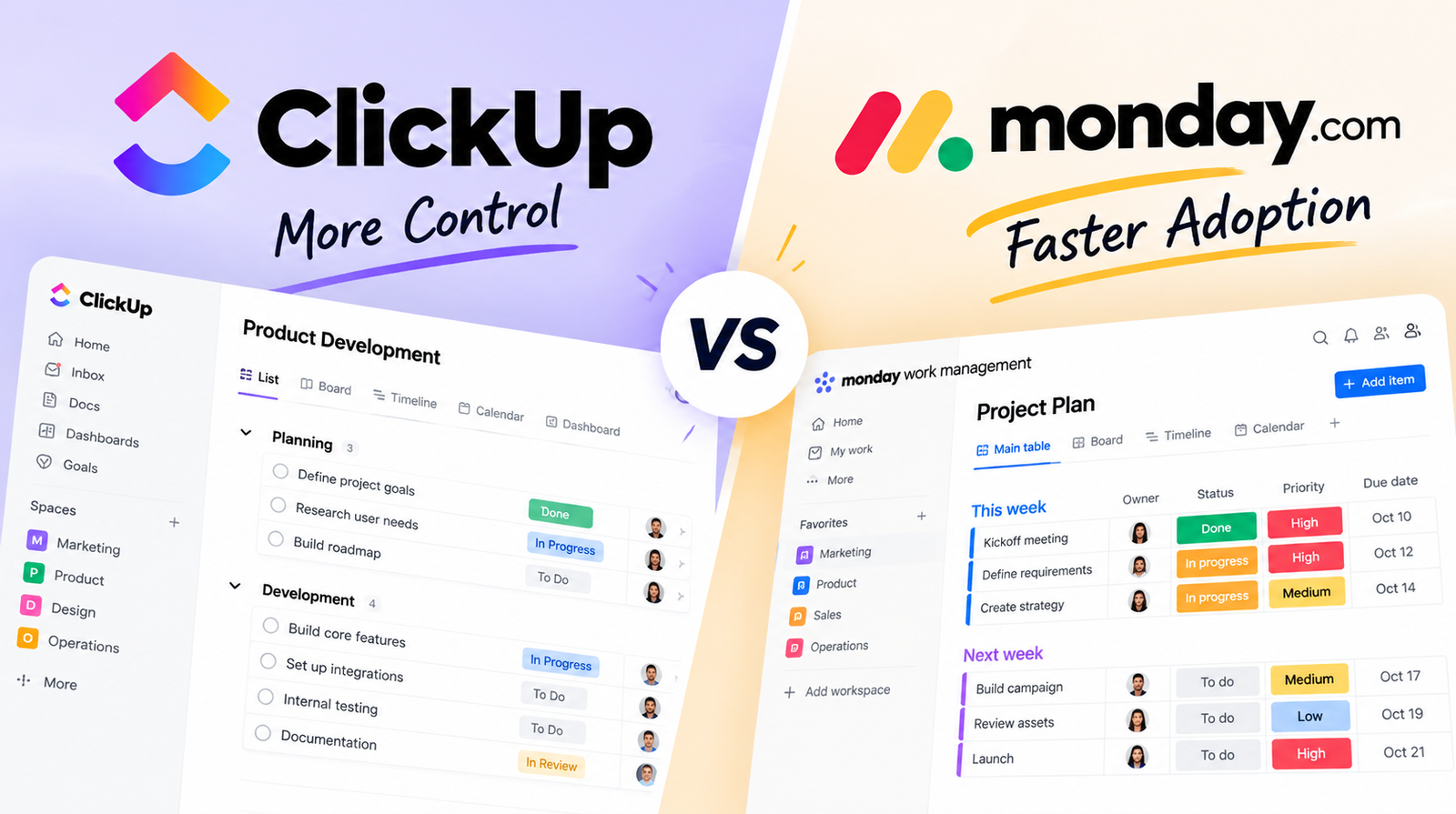
The ClickUp vs Monday decision rarely comes down to feature count. Both platforms can manage tasks, automate repetitive work, build dashboards, and coordinate teams. The more useful question is how much control your workflow actually needs—and how much setup your team is willing to absorb to get it.
ClickUp is the stronger fit when you need deeper workspace structure and more room to shape the system around complex processes. Monday.com usually gives teams a clearer starting point and gets people working faster.
Neither is automatically better. The right choice depends on whether your team is more likely to feel constrained by the tool later—or overwhelmed by it at the beginning.
ClickUp vs Monday: The Short Answer
If your team runs layered workflows and someone can take ownership of configuration, ClickUp is usually the stronger fit. If rollout speed and visual clarity matter more than maximum structural control, Monday.com is often the safer starting point.
| Decision factor | ClickUp | Monday.com |
|---|---|---|
| Fast onboarding | More setup required | Faster starting point |
| Deep customization | Stronger structural control | Flexible but more guided |
| Complex workflows | Strong fit | Capable, especially with newer hierarchy tools |
| Visual simplicity | Denser workspace | Cleaner board-first experience |
| Automation | Strong; limits depend on plan | Strong; plan limits vary widely |
| Best fit | Control-first teams | Adoption-first teams |
The practical difference is when your team pays the complexity cost. ClickUp tends to ask for more decisions up front. Monday lets you start more simply, although complexity and cost can still rise as boards, automations, and team size grow.
ClickUp Gives You More Control; Monday Is Faster to Roll Out
ClickUp makes hierarchy a central part of how the workspace is organized. Work can be structured across Spaces, Folders, Lists, tasks, and subtasks, which gives teams considerable freedom to mirror departments, clients, projects, and different workflow stages.
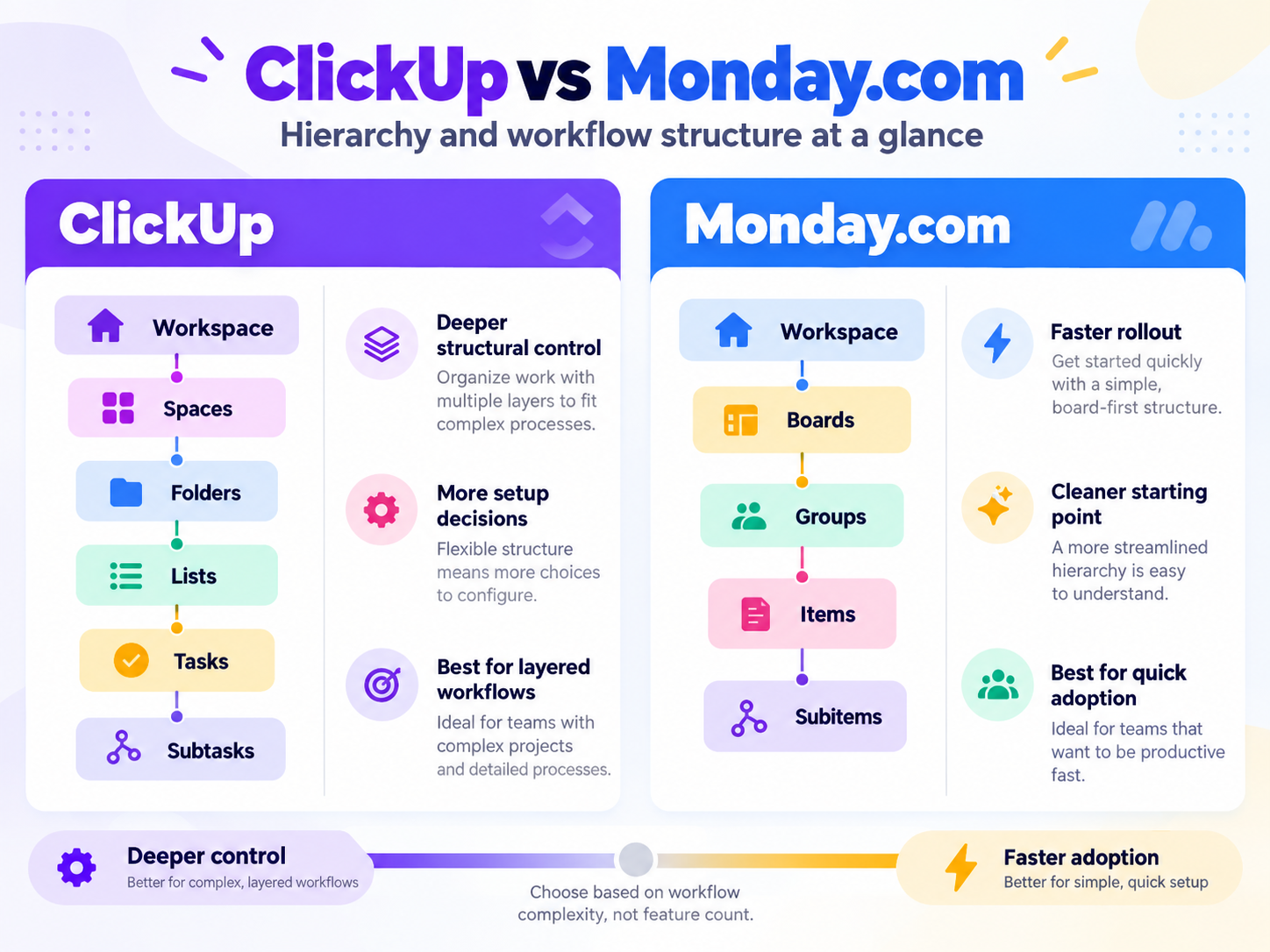
That flexibility matters when different teams use different statuses, projects have several layers, or reporting needs to roll up across a larger operating structure. The cost is configuration: somebody needs to decide how the workspace should work before everyone starts adding tasks.
Monday.com still begins from a board-first model, but it should no longer be described as a shallow system. New multi-level boards can support up to four levels of subitems, with rollups and dependencies available in supported configurations.
So the distinction is subtler than “ClickUp has hierarchy and Monday doesn’t.”
ClickUp makes hierarchy part of the wider workspace architecture. Monday starts with boards and adds more depth inside them.
If your team genuinely needs layered processes and someone will own the setup, ClickUp’s additional control can be valuable. If the priority is getting a less technical team productive quickly, Monday’s board-first approach can reduce the initial adoption burden.
The Workflow Difference Matters More Than the Feature Count
Run the same project through both tools and the difference becomes easier to see.
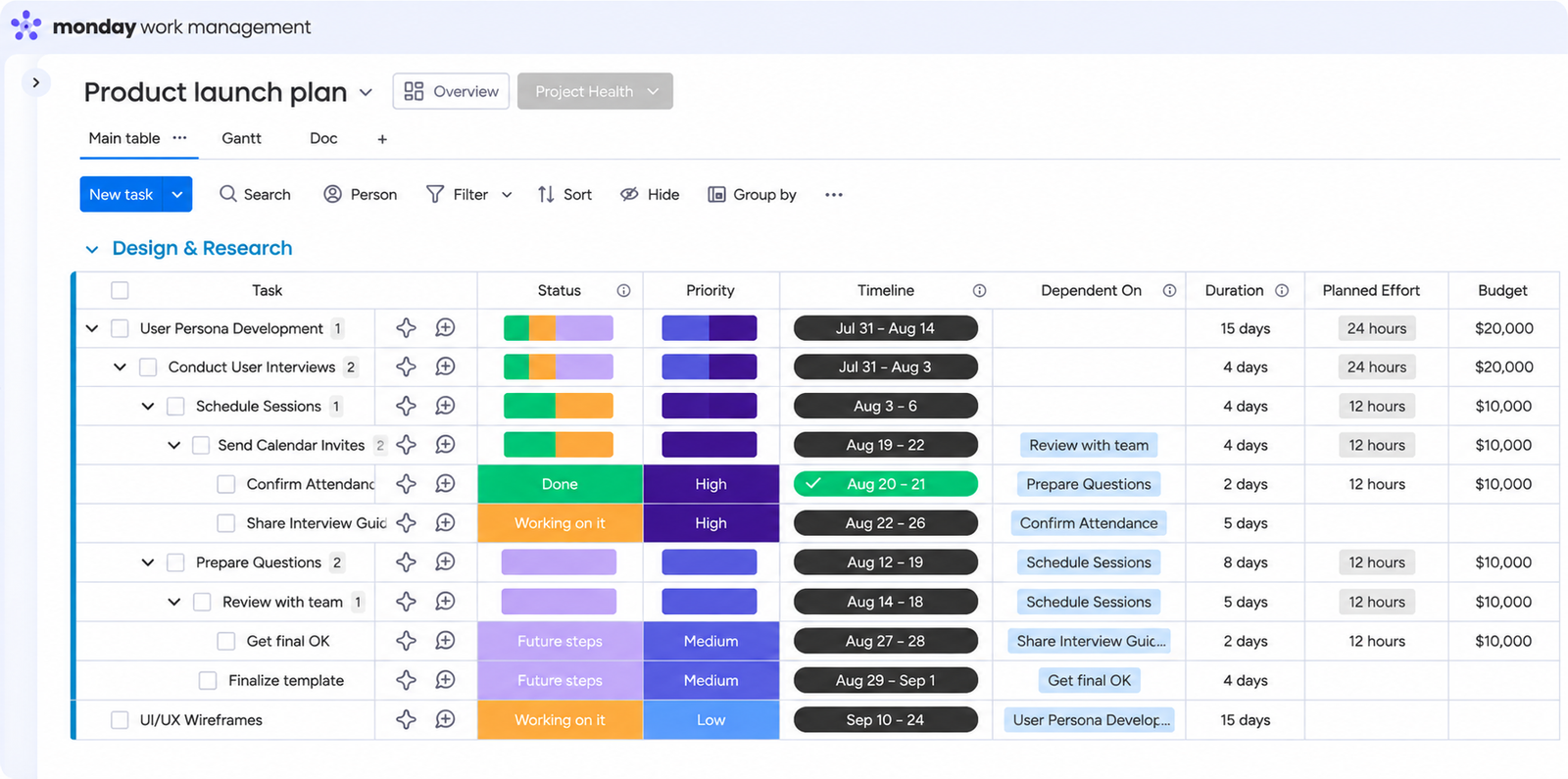
Project setup. In ClickUp, you first decide where the work belongs in the wider hierarchy. In Monday, you normally start by creating or choosing a board and building the workflow inside it.
Task and status management. Both platforms can handle detailed task tracking. ClickUp gives teams more room to vary structures across different parts of the workspace, while Monday’s board model makes the current process easier to see in one place.
Automation. This is where plan selection starts to matter. ClickUp currently includes 1,000 automation actions per month on Unlimited and 5,000 on Business. Monday Standard includes 250 automation actions per month, while Pro increases that allowance substantially.
That means an automation-heavy team should not compare the cheapest paid plans and assume they are equivalent.
Collaboration and reporting. Both products support comments, assignments, dashboards, and shared visibility. ClickUp’s deeper structure can be useful when information has to roll up across several workflow layers. Monday often feels more immediate when the team mainly needs a visual operational view.
If you want to design the system around your process, ClickUp gives you more room. If you want to get a workable process running quickly and refine it later, Monday is usually the easier starting point.
ClickUp vs Monday Pricing: Which Costs Less for a Real Team?
Pricing is more interesting than the headline per-seat number suggests.
At current annual-billing rates, ClickUp Unlimited is listed at $7 per user/month, while Business is $12 per user/month.
Monday Work Management currently lists Standard at $12 per seat/month and Pro at $19 per seat/month on annual billing. More importantly, Monday uses bucket pricing: paid plans begin at three seats and then increase in seat groups. A six-person team, for example, needs the 10-seat option.
Using current annual pricing:
| Actual team size | ClickUp Unlimited | ClickUp Business | Monday Standard |
|---|---|---|---|
| 3 users | $21/mo | $36/mo | $36/mo |
| 6 users | $42/mo | $72/mo | $120/mo* |
| 10 users | $70/mo | $120/mo | $120/mo |
| 25 users | $175/mo | $300/mo | $300/mo |
*A six-person Monday team falls into the 10-seat bucket under the current seat structure.
The six-person example is where the pricing model becomes much more visible. Monday’s $12 seat price looks similar to ClickUp Business, but an in-between team size can end up paying for seats it does not use.
That does not mean ClickUp is always cheaper.
Your real cost depends on the plan that contains the automation, reporting, permissions, guest access, and other capabilities your workflow needs. Monday Standard, for example, includes only 250 monthly automation actions, while Pro provides much more automation capacity. ClickUp also increases automation capability between Unlimited and Business.
Compare the plan you would actually use—not the cheapest number on the pricing page.
Pricing note: recheck both vendors’ pricing and seat rules immediately before publication because SaaS pricing and plan packaging can change.
What Users Like—and Where Each Tool Creates Friction
Public reviews reinforce the same trade-off, although the complaints are not identical.
ClickUp users frequently praise its customization, centralized workspace, dashboards, and ability to bring multiple kinds of work into one system. The recurring downside is the effort required to reach that value. Capterra currently rates ClickUp’s ease of use at 4.3/5, and recent verified reviews still include reports of lag when users work quickly with tasks and subtasks.
For Monday.com, the stronger recurring theme is accessibility: users often value the visual workflow and comparatively straightforward starting experience. The friction tends to emerge later, particularly when teams need more advanced setups, higher plan tiers, or additional paid capacity.
The important distinction is not that one product is “easy” and the other is “hard.”
ClickUp tends to concentrate more friction around setup and configuration. Monday tends to move more of the friction toward scaling the workspace, plan limits, and cost.
That distinction matters more than an isolated five-star or one-star review.
Choose ClickUp If You Need Control; Choose Monday If You Need Faster Adoption
Choose ClickUp when:
- your projects have multiple layers or different workflows across teams;
- deeper workspace structure is genuinely useful;
- customization is more important than immediate simplicity;
- someone can take responsibility for configuration and training.
The risk is over-building. A highly flexible workspace can become cluttered if every team creates its own naming conventions, statuses, views, and automation rules.
Choose Monday.com when:
- rollout speed matters;
- many users are not highly technical;
- the team prefers a visual board-based operating model;
- workflows can start relatively simply and gain complexity later;
- reducing initial adoption friction matters more than maximizing structural freedom.
Monday is not limited to simple workflows anymore—its newer multi-level hierarchy features make that clear. The question is whether you actually need those deeper capabilities from day one.
If you are still evaluating more than these two platforms, our best project management software guide maps the wider category by workflow and team type. If ClickUp is specifically the tool you are considering leaving, our ClickUp alternatives guide covers the broader replacement options.
Already Using One? Switching May Cost More Than the Software Difference
If your team already works in ClickUp or Monday.com, switching introduces costs that rarely appear on a pricing page.
Tasks and data need to move. Automations may need to be rebuilt. Dashboards and reports have to be recreated. Teams need new habits, documentation, and training.
Switch because you can identify a meaningful workflow limitation the other product solves—not because another platform has more features.
If the problem is a messy workspace rather than a missing capability, cleaning up the system you already use may be cheaper than migrating everyone.
Choose ClickUp when deeper workflow control is worth additional configuration and learning overhead.
Choose Monday.com when faster adoption and a clearer starting experience matter more than maximum structural flexibility.
Before committing, price the team size and plan you will actually use, then run one real workflow through your preferred option. That will usually tell you more about fit than comparing another dozen features.