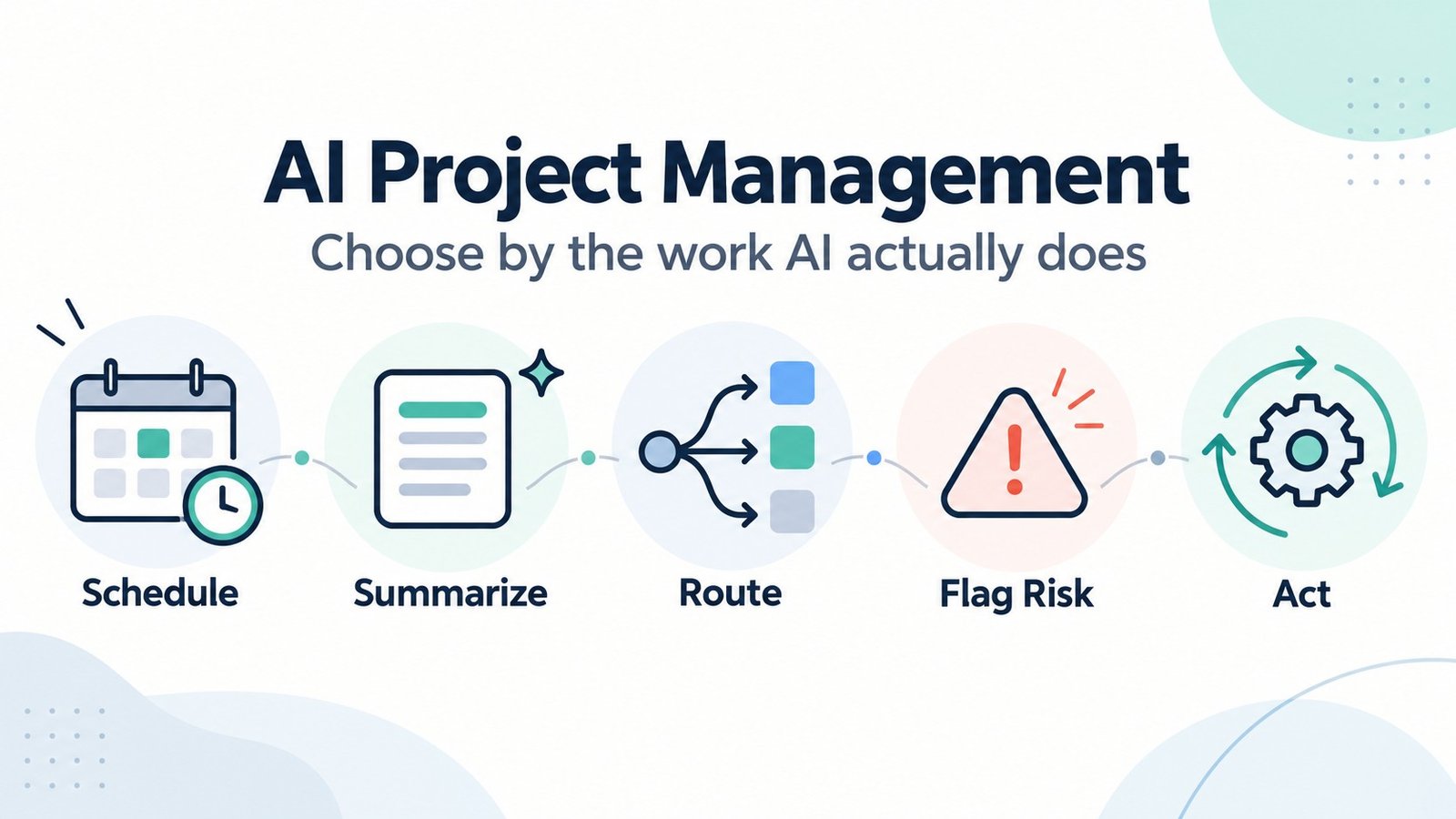
Your project board knows the deadline. Your calendar knows the meetings. Three different chat threads have opinions about why the work is behind. None of those systems necessarily knows what the others know.
An AI button will not automatically connect them. The useful question is whether an AI project management tool will do a recurring job you currently handle yourself: find time for tasks, draft a status update, route requests, flag delivery risk, or act on a permitted workflow. Those are different kinds of work—and different kinds of purchases.
This guide compares seven tools by the actual AI job, the data each tool needs, the human decisions that remain, and the bill that may arrive once usage is involved. It is a research-based buying guide, not a claim that MartechChoice personally tested these products. Our aim is a shortlist you can validate with one real workflow—not a universal winner.
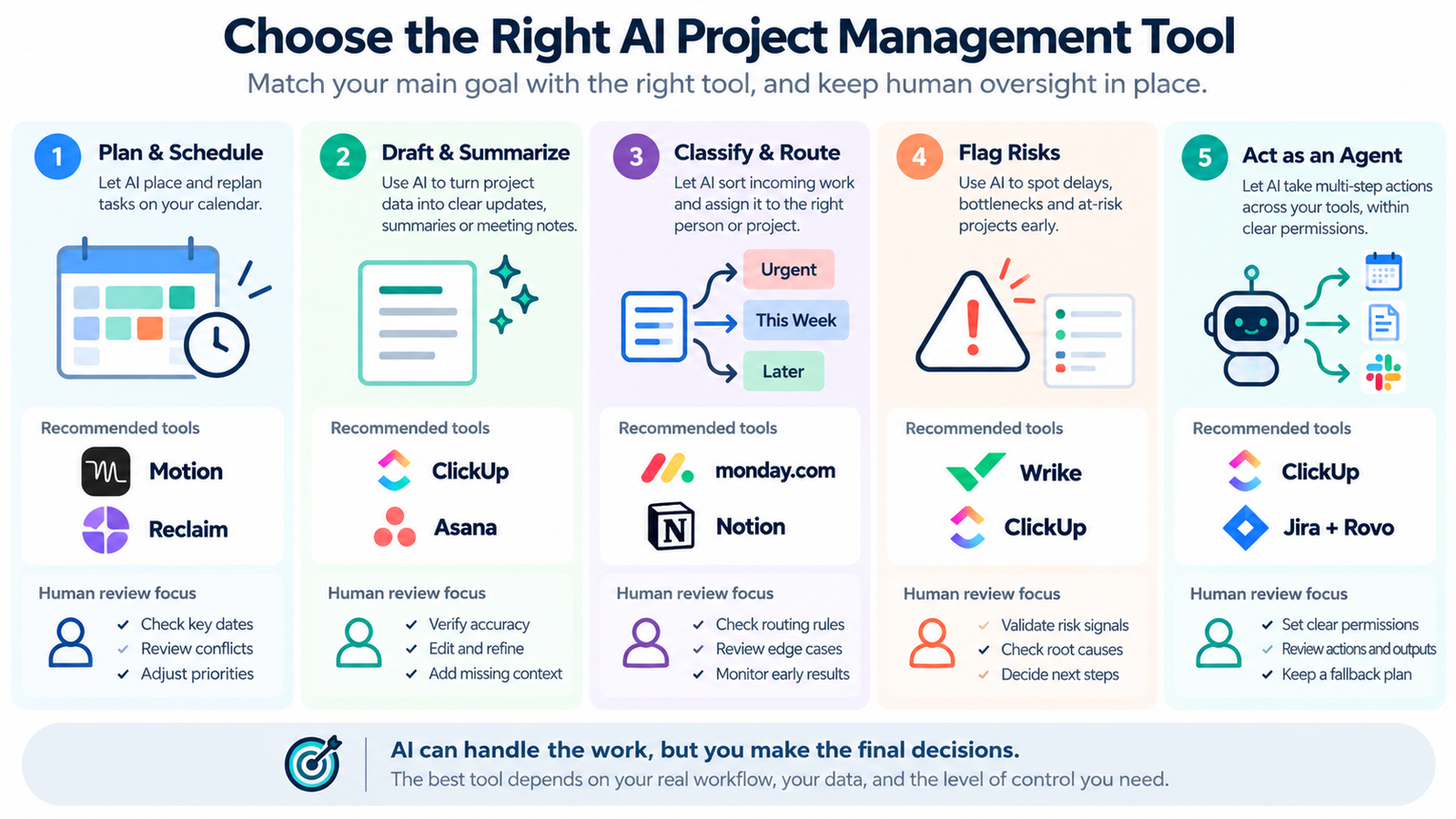
Quick Picks: Which AI Job Do You Need?
These are candidates matched to jobs, not winners. No scores, no universal ranking.
| Tool | AI job it is built around | What you must supply | Check before buying |
|---|---|---|---|
| Motion | Auto-scheduling tasks around a real calendar | Durations, deadlines, priorities, synced calendars | Hard deadlines, plan/seat price, AI credits for other features |
| ClickUp | Contextual AI and agents across tasks, docs, and workspace | Maintained tasks, docs, permissions and agent instructions | New plan's included credits vs. legacy add-on/credits |
| Asana | Drafting status, summarizing, and routing cross-team work | Clean project data; workflow rules | Smart status tier; AI Studio credits |
| monday.com | No-code boards with AI blocks, agents, and a built-in assistant | Boards, columns, and automations already in use | Credit model for your signup date; admin limits |
| Notion | Docs-first projects with workspace Q&A and scheduled agents | Up-to-date pages, databases, agent permissions | Business/Enterprise eligibility; Select vs. workspace credits |
| Wrike | Project risk signals for managers overseeing many projects | Project Progress enabled; maintained task dates and activity | Business/Pinnacle/Apex eligibility; excludes projects running over 500 days |
| Jira + Rovo | AI inside software-development issue workflows | Jira issues, Confluence content, admin setup | Rovo credits by edition; extra-usage billing |
How We Evaluated These Tools (and What We Did Not Test)
MartechChoice did not run hands-on trials of these products for this article. We have no stopwatch results, team surveys, or measured productivity gains, and nothing here should be read as one.
What the article does rest on:
- Official product documentation for described capabilities, feature prerequisites and published AI billing rules, linked near material claims. Vendor documentation explains product behavior, not independently measured performance.
- A clearly attributed third-party Motion test built around a synthetic workweek with one account. We use narrow observations and disclose its limits and affiliate context.
- Editorial judgment about which workflow fits which tool, separated from assertions about measured results.
We checked accessible vendor documentation in October 2026. That does not substitute for a plan-specific quote: ClickUp has new and legacy pricing structures, and Notion introduced a Custom Agent credit transition in October–November 2026. A buying decision should use the rules shown in your actual workspace.
Each tool is read through five questions we call the Real AI Work framework:
- Job performed: does the AI schedule, draft, route, flag risk, or act?
- Inputs: what data must already exist and be accurate?
- Control and fallback: who reviews the output, and what happens when it is wrong?
- Deployment friction: how much migration, setup, and adoption does it take?
- Cost mechanics: seats, required plan, AI add-on, credits, and what happens at the limit?
What Counts as AI Project Management in 2026?
A fixed rule ("when status changes to Done, notify the owner") is automation. It becomes AI when the software interprets text, weighs competing constraints, or decides what to do next. The five jobs below behave very differently in practice.
- Plan and time-block. The software places tasks on a calendar and replans when things move. It is only as good as the durations, deadlines, and calendar data you give it.
- Draft and summarize. It writes status updates, summaries, and meeting notes from project data. The output is fluent either way, so quality depends on the data underneath and on a human reading it before it ships.
- Classify and route. It categorizes incoming requests, assigns owners, or fills fields. It needs a defined destination: queues, owners, and rules that already make sense.
- Flag risk. It estimates which projects may miss dates. It needs a history of maintained data, and an estimate is a prompt to investigate, not a verdict.
- Act as an agent. It can take permitted steps such as updating records, assembling reports, or invoking connected tools. An agent may produce a draft or change a record; review requirements should reflect the consequence of that action.
A status update written from stale task data is a very confident summary of fiction. That one idea explains most of the buying advice in this guide.
The AI Job Decision Matrix
Read each row left to right: what the job needs, what the AI does, what a human still does, and what usually gets metered. Tool names are examples from the seven candidates, and plan details vary, so confirm before buying.
| AI job | Required inputs | What the AI does | Human review / fallback | Billing meter |
|---|---|---|---|---|
| Plan and time-block (Motion) | Duration, deadline, priority, synced calendars | Places and re-places tasks on the calendar | Adjust inputs; manual scheduling for fixed commitments | Per-seat plan; included credit allowance for other AI capabilities |
| Draft and summarize (Asana, Notion, ClickUp) | Current tasks, owners, dates, docs | Drafts updates, summaries, answers | Edit before posting; check against reality | Plan tier and/or credits, varies by vendor |
| Classify and route (monday.com, Asana, Jira) | Defined fields, queues, owners | Categorizes and assigns incoming work | Spot-check; override rules; exception queue | Credits per action or run |
| Flag risk (Wrike) | Project Progress enabled; current project dates and activity | Assigns a risk level with short reasons | Investigate flagged projects; do not treat as proof | Business or higher qualifying plan |
| Agent action (ClickUp, Notion, monday.com, Jira + Rovo) | Permissions, clear instructions, good data | Takes permitted actions through configured triggers or agents | Permissions, usage limits, review of changes | Vendor-specific credits, action limits or overage rules |
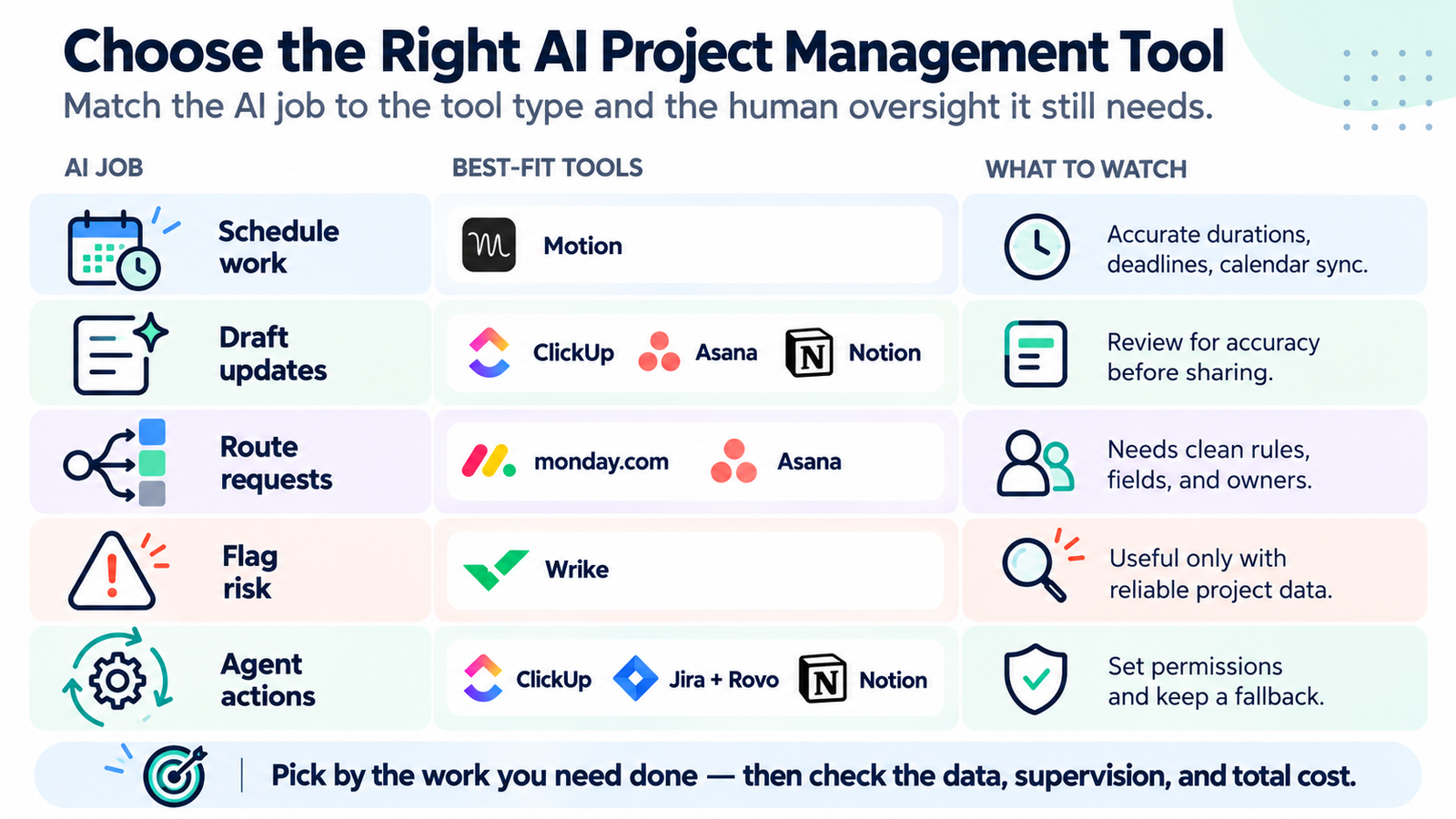
Seven Tools for Seven Different Project-Management Jobs
The order follows reader scenarios, from individual calendar control to enterprise software workflows. It is not a ranking.
Motion: AI that decides when work happens
Motion here means the AI planner at usemotion.com, not Apple's video software.
The job. Motion's auto-scheduling turns a task list into placements on your calendar, weighing deadlines, priorities, and availability. When a meeting is added or a deadline moves, it replans.
What you still do. A lot of the intelligence is input you supply. Motion's own help pages say a task needs a duration before it can be placed, and tasks that cannot fit get flagged until you adjust duration, deadline, or priority. Do not expect it to infer your real task lengths from history; the documentation describes durations as something you provide.
What can go wrong. Motion's official auto-scheduling guide says events marked Busy block task time, while those marked Free do not. If a review meeting, an unexpected absence, or a missing dependency never reaches the calendar or task fields, the scheduler cannot account for it. Synced calendar conflicts can trigger automatic replanning; invisible constraints still require human input.
Hard deadlines are the other edge. Motion documents that a hard-deadline task can be scheduled outside your normal working hours if no room exists inside them. Picture a Thursday where an unplanned "quick sync" eats the afternoon: a flexible task slides to Friday, but a hard-deadline task may show up at 9 p.m. The system is doing what you told it to do. Whether that suits your team is a policy decision, not a software one.
What one outside test observed. In a 2026 Motion review published by Volticen, Ken Tran describes testing a synthetic workweek with fixed meetings, changing priorities and deadline pressure. The review reports useful rescheduling during ordinary calendar conflicts, but describes aggressive hard-deadline behavior and inconsistent results from some AI features. Volticen discloses affiliate links. This is one reviewer's single-user scenario, not a test conducted by MartechChoice or evidence of team-wide performance.
Cost mechanics. Motion's current pricing page lists Pro AI and Business AI with different per-seat monthly allowances—7,500 and 15,000 credits per seat, respectively, on the displayed pricing configuration. Business AI adds team capacity planning, deeper reports and Gantt/timeline features. Check the individual/team selector, billing term, shared credit rules and which AI activities actually consume usage before forecasting costs. The core auto-scheduling benefit and a separate credit-metered AI agent workflow should not be priced as if they were the same feature.
Choose something else if your work is mostly shared project coordination rather than personal time allocation, or if your calendar lives somewhere that does not sync cleanly.
ClickUp: AI spread across the whole workspace
The job. ClickUp's AI spans workspace questions, writing and summaries, AI Fields, assignment/prioritization, and configurable Super Agents. That breadth matters when the project context is already in one place—but it does not mean every account includes every AI feature. ClickUp's official credit limits vary by plan and workspace migration status.
What you still do. Breadth cuts both ways. The more of your project state lives in ClickUp, the more useful the AI is, and the more setup you own before it pays off. Agents need clear instructions and sensible permissions. Building a Super Agent does not consume credits; running its actions does, per the credits article.
Video: A third-party walkthrough of ClickUp Super Agents, including agent setup and workflow examples. This demonstration is provided for illustration and does not represent hands-on testing by MartechChoice.
Cost mechanics. Do not assume an AI add-on is mandatory. On ClickUp's newer plans, AI-credit allowances are included by paid seat and pooled within the workspace; the older Brain AI and Everything AI add-ons cannot be newly purchased on those plans. Workspaces still on existing plans can have trial usage or previously purchased AI add-ons, with different allowances. Compare your actual plan's included credits, model access, agent consumption and any additional credit purchases; do not treat credit counts as a fixed number of agent runs. A feature demo from an older workspace may not reflect the invoice a new customer receives.
Choose something else if you want AI for one narrow job and do not want to move your team's work into a bigger system. If you are leaving ClickUp rather than adding to it, our ClickUp alternatives guide covers that decision.
Asana: AI for status, routing, and cross-team intake
The job. Asana's AI is strongest where work crosses teams and someone has to report on it. Smart status drafts project status updates, and for portfolios and goals on higher tiers. You can add guidance on structure, edit the draft, and then post it. The posting step is the human control, and it is a good one.
What you still do. The draft reflects what is in the project. Overdue tasks nobody updated and fields nobody filled become a polished paragraph that sounds more certain than it should. Plan on a reviewer who knows the real state of the work.
Routing and workflows. Asana AI Studio supports AI-assisted rules such as classifying incoming requests before sending them to a defined owner. AI Studio Basic is included on paid plans subject to usage limits; Plus and Pro provide further capacity. Credit use depends on the input/output volume and selected model—not just how many rules you created. The supervision point is practical: check the first batch of classifications and maintain an exception route. Asana's product terms describe credit-related conditions for smart workflows.
Choose something else if you need time-blocking on a personal calendar, or your projects are small enough that writing the weekly update by hand takes ten minutes. For a broader view of how Asana fits against other platforms, see our best project management software guide.
monday.com: AI actions on boards you already run
The job. monday.com puts AI into a visual, configurable work platform: AI blocks inside automations, an assistant called sidekick, agents, a meeting notetaker, and vibe apps. The fit is a team that already runs on boards and wants the AI to categorize, assign, or summarize inside that structure.
What you still do. The board design does the heavy lifting. An AI block that categorizes bugs or assigns tasks needs columns, statuses, and owners that mean something. Admins can set usage limits and watch consumption through AI governance, which is a real control for a team worried about runaway automations.
Cost mechanics. monday.com's AI Credits help page describes consumption per AI-block action, by meeting duration for AI Notetaker, and by task complexity for agents and sidekick. Usage is monitored in AI governance, with admin controls and warnings near account limits. These details concern the monday AI work platform; ask for plan-specific entitlements if you use its other products or an older account. Avoid treating a sidekick chat and a recurring automation as equivalent credit events.
Choose something else if nobody owns board hygiene. For a head-to-head on the platforms themselves, see ClickUp vs monday.
Notion: AI where the project lives in documents
The job. Notion suits teams whose projects are pages and databases rather than strict task hierarchies. Its AI features include workspace Q&A and an assistant, and Custom Agents that run on schedules or triggers, for example compiling a recurring update from a database.
What you still do. Notion gives you flexibility, not project-management rigor. Dependencies, resource views, and strict status discipline are things you design yourself, and the AI inherits whatever structure you built. If your tasks, notes, and decisions are scattered across pages with inconsistent properties, an agent will faithfully reflect that.
Cost mechanics—and a 2026 transition. Notion's October 2026 Custom Agent credit rules introduce Standard and Select credits for Business and Enterprise members. For new workspaces, the new system starts October 19, 2026; for existing workspaces, the stated transition is November 2, 2026. Under the new rules, a Custom Agent normally uses its owner's Select credits first. Admins can instead authorize a shared Notion-credit budget, with spending limits. Runs consume more when they read more content, take more steps, or happen more often. Consequently, a scheduled hourly agent and a weekly reporting agent can have very different usage—not just different seat costs. Check the current Custom Agent pricing examples and the credit model applying to your workspace; avoid relying on older blanket descriptions of an add-on.
Choose something else if your team needs dependency tracking, workload views, or formal reporting from day one. Notion can be built toward those, but you are the builder.
Wrike: AI that flags schedule risk across projects
The job. Wrike's AI Project Risk Prediction documentation describes a low-, medium- or high-risk estimate based on project complexity, overdue work, assignees, activity and other historical signals. This is a prompt for a portfolio owner to investigate, not a proven forecast of which projects will miss their deadlines. Wrike lists the feature for its current Business, Pinnacle and Apex plans, plus qualifying legacy Business/Enterprise plans; it is not listed for Free or Team. The project must have Project Progress enabled and sufficient scheduling data.
What you still do. Keep dates, progress and ownership reliable. Wrike says a new project may receive only a preliminary assessment until sufficient data exists; a project running more than 500 days is excluded from AI risk calculation. Projects created before November 18, 2021 may still follow its older Project Health calculations. The vendor documents how the indicator is produced, but we found no independent evidence establishing its predictive accuracy. Treat the signal as a prompt to ask the project owner what has changed, not as proof of a future delay.
Choose something else if your projects are short, your data is sparse, or you manage a handful of projects you already know well. A risk flag on a project you review weekly adds little.
Jira + Rovo: AI inside software-delivery workflows
The job. Atlassian's Rovo adds search, chat, and agents across Jira, Confluence, and Jira Service Management. In Jira terms, that means agents and AI features working on issues, summarizing work, and pulling context from Confluence and connected tools. Atlassian describes how Rovo agents work in its documentation.
What you still do. Jira's value for AI is the structured issue history already sitting in it. That also defines the boundary: if your team does not run on Jira-style issues, sprints, and workflows, there is little for Rovo to work with, and adopting Jira just to get Rovo is a very expensive way to buy AI. Admin setup, permissions, and agent configuration are real work.
Cost mechanics. Atlassian's Rovo credit guidance describes pooled organization-level allowances based on the paid cloud app and edition. It lists December 3, 2026 as the start of extra-usage billing; extra usage is enabled by default unless an administrator changes it, and spending limits are available. Rovo enablement also requires an organization administrator using a verified business domain, according to Atlassian's documentation. Confirm the allowance, permissions and excess-use policy for your organization before deploying an agent.
Choose something else if you are a non-engineering team looking for lightweight task tracking. Our best task management software for small business guide is a better starting point.
Motion vs ClickUp: AI Calendar Control vs AI Across a Workspace
These two get compared often because both appear on AI shortlists, but they answer different questions. We do not think either one generally outperforms the other.
Motion answers "when." Give it durations, deadlines, and priorities and it keeps your calendar current. Its AI is concentrated in one job, and the supervision is mostly input hygiene and the occasional hard-deadline decision.
ClickUp answers "what, where, and who." Its AI works across tasks, docs, and fields inside a workspace, so it helps most when ClickUp is already your system of record. Supervision looks more like agent permissions, review of generated content, and credit monitoring.
| Question | Motion | ClickUp |
|---|---|---|
| Primary AI job | Auto-scheduling around a calendar | Contextual assistance and agents across work |
| Biggest input burden | Accurate durations, deadlines, calendar sync | A populated workspace and agent instructions |
| Biggest control point | Hard deadlines, manual scheduling | Agent permissions, applicable plan and credit limits |
| Main cost trap | Per-seat price and whether included AI credits cover your non-scheduling usage | Included credits on new plans versus existing-plan AI add-ons and credit usage |
For a useful trial, give Motion three realistic tasks, two fixed meetings and one new conflicting event; check whether the revised plan makes sense and whether hard deadlines spill into personal time. Give ClickUp one current project and one real status-report request; check the summary against the underlying tasks, then price the AI permissions and usage your workspace actually needs. Neither trial is a benchmark across vendors. Some teams may need both systems, but duplicated features, context transfer and two bills should be a deliberate choice.
The Real Cost of AI Project Management
The headline project-management subscription can be only one part of the cost. Some vendors bundle a monthly AI allowance; others sell higher tiers, usage credits or optional add-ons. A realistic budget starts with:
Base PM plan + AI tier or add-on + AI credits or usage + seat minimums + training and migration time
| Cost line | Question to ask the vendor |
|---|---|
| Base plan | Which plan do the AI features I need actually require? |
| AI tier or add-on | Is it per seat, per workspace member, or per account? Does it have to cover everyone, or only the people using AI? |
| Credits | How many are included, what consumes them, and what happens when they run out: pause, grace period, or overage? |
| Credit scope | Are credits per seat, pooled, or per billing account? Can an admin cap one team's usage? |
| Plan history | Do older accounts follow different rules than new signups? |
| Training and migration | Who moves the data, builds the rules, and reviews the output, and how many hours is that? |
A useful worksheet has four inputs: number of billed seats, people who actually use AI, expected workflow runs per month, and the review time each run still requires. Start with one repeatable workflow during the trial, monitor its real usage, and record what human work disappeared versus what checking or correction was added. Only then extrapolate to the team. We do not invent a three-seat or ten-seat quote when the applicable plan and usage model have not been confirmed.
Two cost patterns matter. Frequency-driven usage rises as scheduled agents or incoming-work automations run more often. Volume-and-complexity-driven usage rises when each run reads more context, produces more output, or takes more steps. If a workflow stops after exhausting its allowance, the operational problem is not merely the next invoice; it may be a missing status update or an unprocessed request. Check each vendor's pause, overage and admin-limit behavior before making a metered agent part of a critical process.
When You Should Not Buy Another AI Project Management Tool
Skip the purchase, or at least delay it, when:
- Your project data is unreliable. If statuses are stale and due dates are fiction, AI summaries and risk flags will be confident and wrong. Fix the habit first.
- The job is not repeated. AI earns its cost on recurring work: weekly updates, daily planning, constant intake. A task you do twice a quarter does not need a metered agent.
- Your current platform already has the feature. Check what you have before adding a second subscription. Duplicated AI across two tools means two bills and two review habits.
- Nobody will supervise the output. Every approach here needs a human reviewer, a permission boundary, or both. If that person does not exist, the time savings often turn into cleanup.
- Adoption is the real problem. If people already resist updating tasks, a smarter tool does not make them update more. It gives them a different place to skip.
- Credits or admin overhead outweigh the value. Start with one short trial and actual usage data before you automate a high-volume workflow. A cheap-looking agent that requires a full-time babysitter is not a bargain.
If you are still choosing a platform at all, start with the broader best project management software comparison and add AI second.
FAQ
Does AI automatically reschedule my work?
Some tools do, within limits. Motion replans tasks when synced calendar events or task details change, but it can only react to what it can see. Time-sensitive constraints that live outside your calendar or task fields need to be expressed through deadlines or priorities. Most other tools in this guide draft, route, or flag instead of rescheduling.
Are AI features included in paid project management plans?
It depends on the vendor, the plan, and often the signup date. Some AI features are bundled, some require a higher tier, and some run on credits or a separate add-on. For example, newer ClickUp paid plans include monthly AI-credit allowances, while some existing workspaces retain older add-on arrangements; Atlassian includes a Rovo credit allowance with eligible paid cloud subscriptions. Check the entitlements and usage policy in your actual account before deciding.
Can AI project management agents work without human review?
Technically, several can run on schedules or triggers without a person in the loop. That does not mean they should. Agents that update records, send messages, or generate reports can scale a mistake as quickly as a good result. Start with limited permissions, restricted scope, and a review step, and widen only after you trust the output.
Do I need a separate AI tool if my project platform already has AI?
Not necessarily. Test your current platform against the specific workflow first, including permissions, quality control and credit limits. A second platform makes sense only when it handles a distinct recurring job better enough to justify synchronization, migration and supervision. Automatic calendar time-blocking may be such a job; another summary button usually is not.
Bottom Line
Pick by the job, not the brand.
- You want individuals to stop hand-scheduling their week: shortlist Motion, and test it with honest durations and your real calendar.
- You want AI across a workspace that already holds your work: shortlist ClickUp, and check your plan's included AI credits, agent limits and any legacy add-on costs before committing.
- You report across teams and write too many updates: shortlist Asana, and keep a human reviewer on every draft.
- You run on boards and want AI actions inside them: shortlist monday.com, and check the AI credit rules for your product and account plan.
- Your projects live in documents and databases: shortlist Notion, and plan to design the structure yourself.
- You oversee several active projects and need prompts about risk: shortlist Wrike if your plan qualifies and projects have maintained progress data; its AI risk feature excludes work running beyond 500 days.
- You run software delivery on Jira: evaluate Rovo inside your established issue workflow and check the December 3, 2026 extra-usage billing change.
If none of those jobs describes something you do repeatedly, the best AI project management purchase may be none at all. Fix the data, name the recurring job, and come back with a specific question for a vendor.