
Picture a ten-person team whose Asana renewal notice arrives the same week someone complains that nobody trusts the project dashboards. The invoice looks high, the workflow feels clumsy, and a few people want something simpler. The team still has recurring tasks, client deadlines, and a year of comments that need to keep working.
That is the real question behind most searches for Asana alternatives: will switching fix the problem, or just move it somewhere else? This guide covers six tools worth investigating, the situations each one suits, what could go wrong, and how to test a move before you commit. A perfectly sensible outcome is staying put. If you are still choosing a platform from scratch, start with our best project management software guide instead.
Quick Picks by Reason for Leaving Asana
None of these is a universal winner. Each is a route worth trialing for a specific frustration, and each comes with a trade-off you should check before moving anything.
| Reason for leaving | Candidate to investigate | Main trade-off to evaluate |
|---|---|---|
| Too many tools around the edges | ClickUp | Configuration effort may offset the consolidation |
| Want workflows shaped like our process | monday.com work management | Seat buckets, tier limits and automation quotas |
| Client delivery, time and budgets | Teamwork.com | Which budget, reporting and client-access features sit on which tier |
| Process is more elaborate than needed | Trello | What the team gives up by simplifying |
| Scattered tasks, chats and files | Basecamp | Package fit and how much planning depth you need |
| Documents and projects live apart | Notion | Someone must own the database and process design |
Stay with Asana if your main complaint is price, but your workflow fits well and the team knows it. A cheaper subscription can disappear into rebuild time, retraining and lost functionality. We return to this below.
Establish the Asana Baseline First
Before you compare anything, write down what your team uses Asana for today. Vague dissatisfaction produces vague shopping lists, and almost every candidate looks good against a fuzzy one.
Start with the things that would hurt if they vanished: the views people actually open, task dependencies, recurring work, tasks shared across projects, custom fields, external or guest access, reports leadership reads, and the integrations that keep other systems in sync. Be honest about which of these are used weekly and which were configured once and forgotten.
Then check your own plan before assuming you lack something. Asana has time tracking, resource management and other capabilities that may sit on specific tiers, so a missing feature in your current plan does not mean it is absent from the product. Asana's current pricing places Personal at $0 for two users, Starter at $10.99 per user/month billed annually, and Advanced at $24.99 on the same basis. Starter adds Timeline/Gantt, custom fields, forms and reporting dashboards; Advanced adds portfolios, goals, workload and native time tracking. Monthly billing is $13.49 and $30.49 respectively. Compare the tier you actually need, rather than treating every paid capability as an Asana limitation.
If the list reveals that your real problem is cost, a cluttered workspace or an unused tier, switching tools may be the wrong lever.
The Six Alternatives
ClickUp: When You Want More Work in One Workspace
ClickUp tends to come up when a team is juggling Asana alongside separate docs, chat and time tools, and wants to pull more of that into a single place. It may also attract teams who want broader collaboration on a free plan. It is also worth a look if you are weighing it against a different tool, in which case our ClickUp alternatives guide covers the other direction.
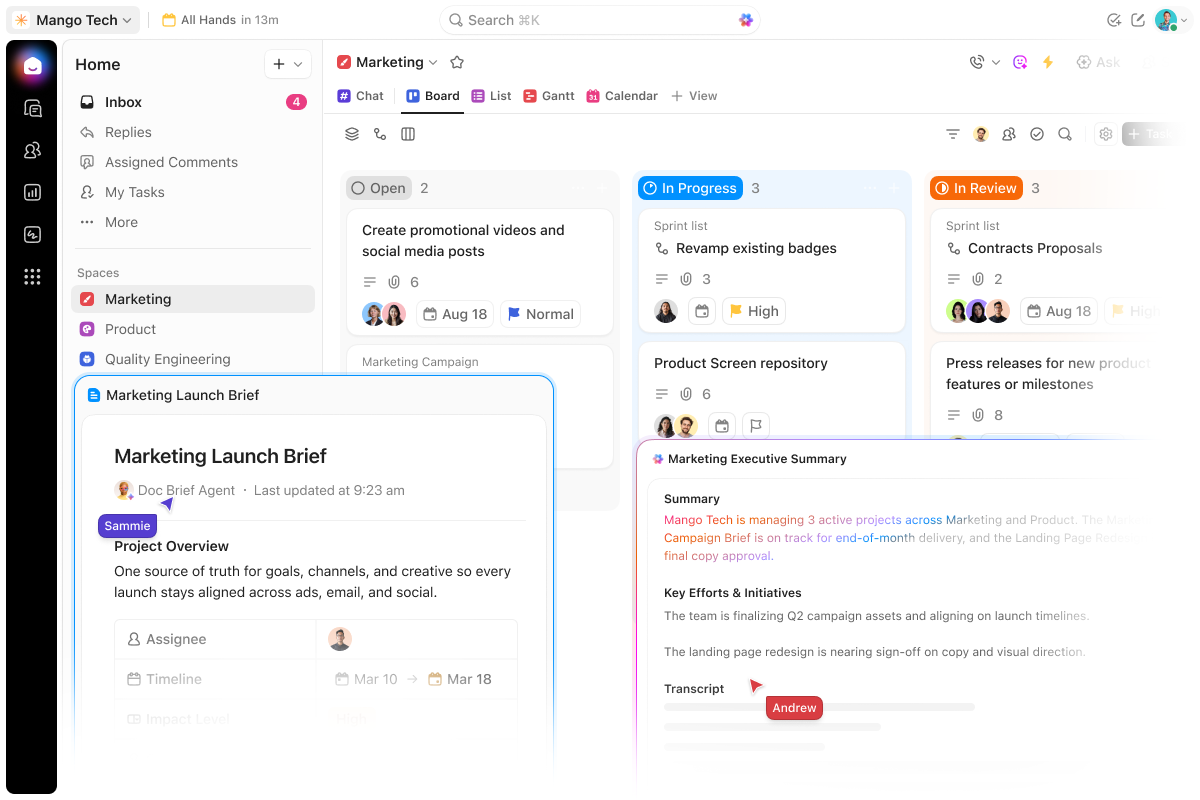
The catch is that more capability is not the same as less work. A flexible workspace asks someone to decide how spaces, lists, statuses and fields should be organized, and that design effort can fall on whoever has the least time. Ask honestly who will configure it, and how long you are willing to run with a half-built setup.
ClickUp's pricing page lists unlimited free members and tasks, but only 60MB of storage. As of early November 2026, Core displayed a promotional $9 per user/month billed annually against a crossed-out $12 rate. Business displayed $17 against $25. Core's 1,000 monthly automations and Business's 10,000 make the workflow's action volume part of the buying decision. Confirm the exact automation allowance, storage and offer at checkout.
The official Asana import guide calls for putting standalone tasks into projects before importing, recreating recurring rules, and manually fixing nested subtasks. Shared tasks need checking across lists; private tasks require attention to access settings. Mentions do not transfer. Attachments are optional, so estimate their storage before importing them into Free.
monday.com Work Management: When Visual Workflows Are the Point
Teams that think in boards, timelines and status columns, and want those views to reflect how they actually operate, often investigate monday.com. This section is about monday.com work management only. monday CRM, monday service and monday dev are separate products with separate pricing, and mixing them up is an easy way to get a misleading quote.
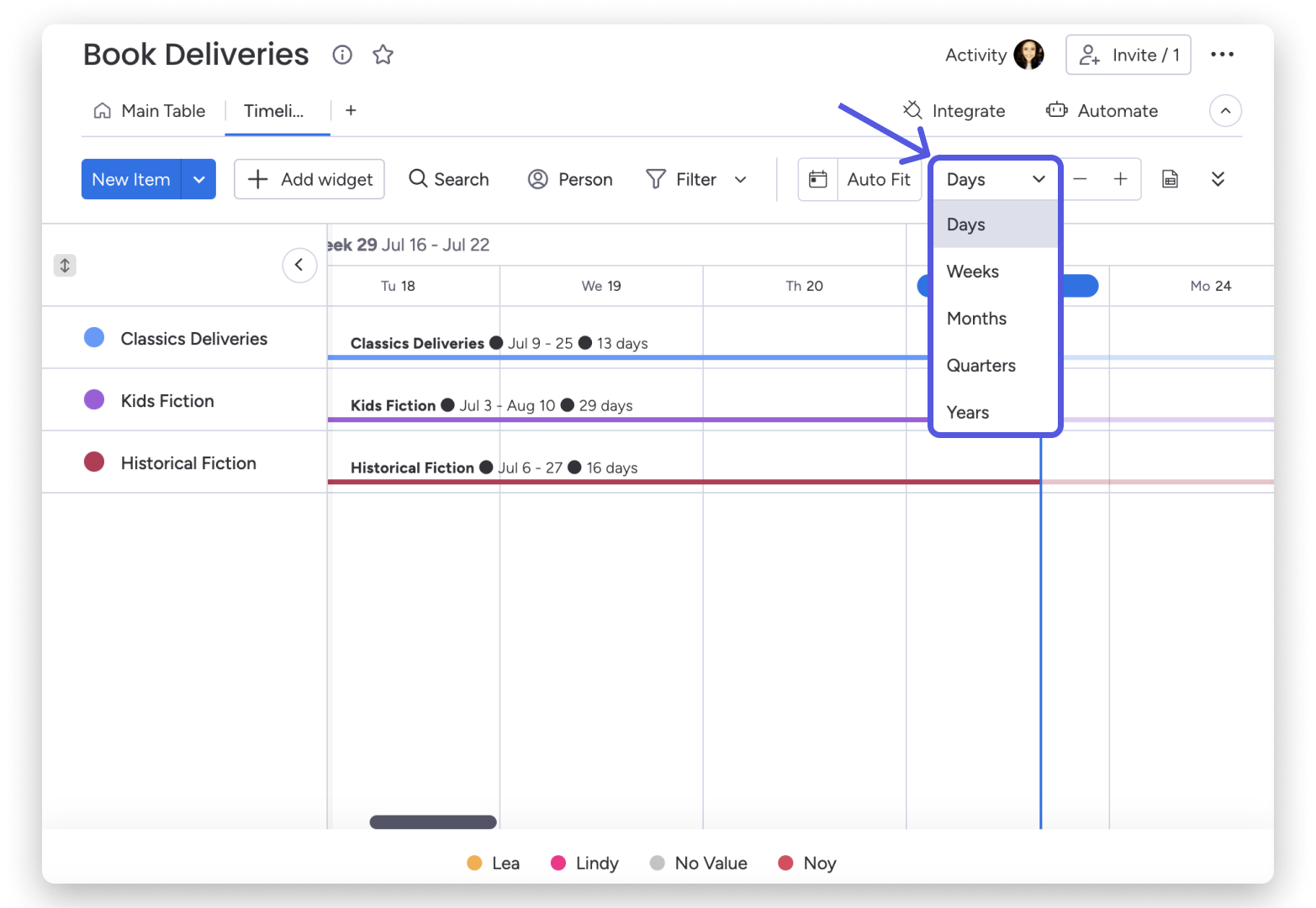
The commercial details deserve particular attention. Plans are sold in seat buckets, so the bill can exceed headcount multiplied by the displayed per-seat rate. Automation and integration actions are also capped by tier, and your must-have automations may push you into a higher plan than the one you first priced. Before you build anything, work out your real seat count and the tier your automations demand. Work management pricing starts at $9 per seat/month for Basic with annual billing; Standard is $12 and Pro $19. Standard includes 250 automation actions and 250 integration actions monthly, compared with 25,000 of each on Pro. Time tracking is a Pro feature. Under the seat-bucket rules, paid plans have a three-seat minimum, followed by 5, 10, 15 and larger seat buckets; four people require five seats, while six require ten. Price the purchased bucket.
The Asana import instructions describe authorizing access and choosing projects. They also describe an automation that creates a monday item when a new task is added in Asana. Inspect that connection before cutover; an import does not establish that every field, relationship or later edit stays synchronized.
Teamwork.com: When Client Delivery and Money Share a Screen
Agencies and service teams that need delivery tracking tied to time and commercial oversight are the natural audience for Teamwork.com. If your work revolves around clients, scopes and budgets, a tool built around those concepts can feel closer to the job than a general task manager. Our guides on project management software for consultants and marketing project management software go deeper on those workflows.
The key move is to separate core task tracking from the specific budgeting, reporting and client-access features you need. Those are the pieces most likely to sit on particular tiers, and the pricing page has changed names over time, so older write-ups may mislead. The current Teamwork.com plans use Basics and Accelerate, rather than older tier names. Basics starts at $9.99 per user/month billed yearly and includes billable time tracking. Accelerate adds workload/capacity planning, time budgets and invoicing from logged time. Choose against those requirements rather than assuming the entry plan covers the entire client-delivery workflow. Check the quote's client-access terms before inviting external people.
An importer exists for Asana projects, but recurring behavior and historical activity deserve particular attention. A client-facing team should check how much history it truly needs preserved. The official importer documentation covers tasks, subtasks, comments and files. Recurring task rules are not copied, and historical project activity does not appear as a complete activity stream. Re-import settings also matter: understand the overwrite versus new-item behavior before repeating an import into a workspace people have begun editing.
Trello: When Simpler Is the Goal, Not a Compromise
Trello makes sense for a team that wants a lighter, board-based process and is prepared to give up some structure for it. That is a deliberate decision rather than a like-for-like swap, so treat it as one.
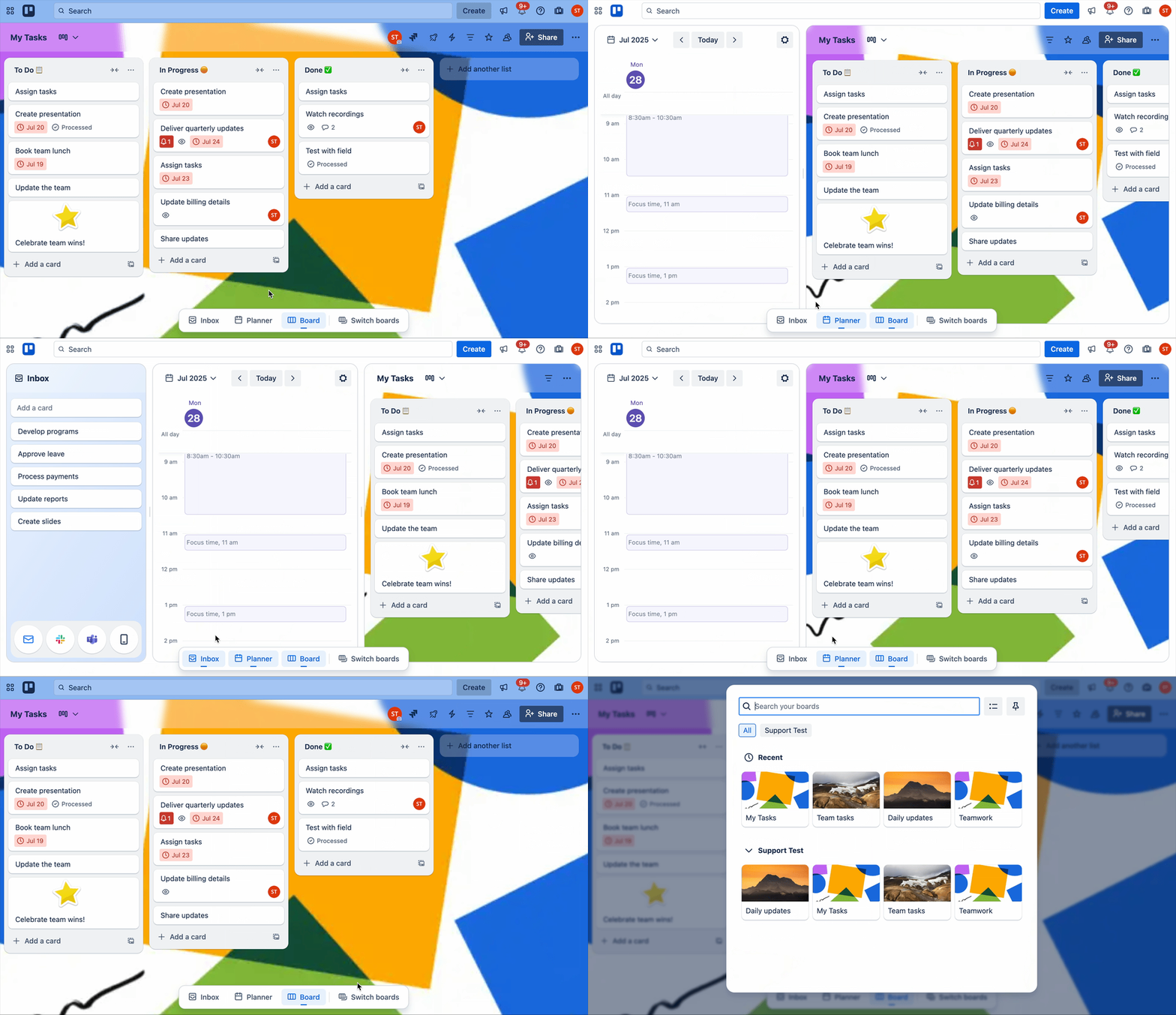
Ask what the simplification costs. If your Asana setup leans on dependencies, multiple project views, portfolio-style reporting or heavy custom fields, you may find yourself rebuilding that with extra add-ons, or discovering the team did rely on it after all. Trello's own views and add-ons vary by plan, so list what you need and confirm where it lives. Trello's Free plan allows ten collaborators and ten open boards per Workspace, with 250 automation runs monthly and a 10MB file limit. Standard is $5 per user/month billed annually and adds unlimited boards and custom fields. Premium is $10 per user/month, billed annually, and adds views including Timeline, Calendar and Dashboard. Guests on multiple boards can be billable; do not treat every external collaborator as a free seat.
The official import guide points to copy-and-paste, APIs and third-party tools rather than a universal native import button. Check the selected method's handling of comments, attachments and ownership before trusting its task count as proof of a complete move.
A good test is brutal and simple: take one real project and see whether the team feels relieved or hobbled after a week.
Basecamp: When Tasks, Discussion and Files Belong Together
Basecamp suits teams tired of chasing context across chat threads, task lists and file folders, who want one central place where a project's conversation, to-dos and documents live. It is less about elaborate planning and more about keeping everyone looking at the same thing.
That focus is also the trade-off. If your Asana setup depends on detailed scheduling, dependencies or reporting, check carefully whether Basecamp's approach covers it or whether you would be changing how the team works. Package fit matters too: current packages come with their own user and active-project allowances, so an old per-user assumption can mislead. Basecamp's packages include Free for one project and three users, Freelancer at $29/month for three projects and five users, Pro at $79/month for eight projects and ten users, and Pro Plus at $99/month for twelve projects and fifteen users. Pro Unlimited is $199/month billed annually: $2,388 for the year, not $199 for the year. Its month-to-month option is $329. Unlimited users and projects belong to that package.
For a Basecamp pilot, budget for rebuilding a representative project around its own to-dos, discussions and files. Do not assume an Asana export will recreate that structure automatically. Before selecting any transfer service, require a sample result showing dates, owners, files and discussion context; otherwise price the move as a manual rebuild.
Notion: When Documents and Light Project Tracking Belong Together
Notion appeals to teams whose work is half writing and half tracking: briefs, wikis and meeting notes sitting beside a project database. If your Asana workspace feels disconnected from where your thinking lives, this is the case for it.
The question to answer early is who owns the structure. Databases are flexible, but flexibility means someone designs properties, views and relations, and keeps them tidy as the team grows. Without a clear owner, the result can look neat on day one and drift fast.
The native Asana importer brings in projects and tasks, including comments and attachments. Rules, automations and permissions need rebuilding. Treat dependency preservation as a pilot acceptance test rather than promising a complete transfer: check actual linked task pairs and their behavior after import. Notion's pricing lists Plus at $10 per member/month with yearly billing. Free is unlimited for individuals but limits blocks for workspaces with multiple members; it also limits files to 5MB and page history to seven days. Guests have page-specific access and are different from paid workspace members. An import is a one-time copy, not continued syncing.
Free Plans and the First Useful Paid Tier
Searches for free Asana alternatives are understandable, but the cheapest advertised price rarely reflects what it costs to preserve your workflow. The first plan that does what you need is the one to price, and it is often not the one on the front of the pricing page.
A few distinctions keep the comparison honest:
- Free plan versus trial. A free plan continues; a trial ends. Do not treat them as equivalent.
- Monthly equivalent versus annual total. Many tools quote a monthly figure billed annually. Compare like with like.
- Billable members versus guests. Who counts toward the bill, and who does not, can change the total.
- Native capability versus integration. Something that needs an add-on or a third-party tool is a different cost and a different maintenance burden.
These are starting points for the workflows discussed above. Prices are USD, checked in early November 2026, before tax; annual rates are monthly equivalents with an annual commitment. Promotions (for example, ClickUp Core) and plan names can change. Confirm on the vendor’s pricing page at purchase. Product links above lead to the official pricing pages.
| Tool | Free-plan boundary | Paid starting point for this use case | Cost or capability to check |
|---|---|---|---|
| Asana | Personal: two users | Starter $10.99/user/month, annually | Advanced $24.99 for time tracking, portfolios and workload |
| ClickUp | Unlimited members/tasks; 60MB storage | Core: promotional $9/user/month, annually; displayed regular $12 | Business for higher automation volume and advanced resource features; promotion may change |
| monday.com work management | Two seats; three boards | Standard $12/seat/month, annually, for automation and timeline work | Paid seat buckets (3-seat minimum; then 5, 10, 15…); 250 monthly actions of each type; Pro $19 for time tracking |
| Teamwork.com | Limited free option; trial is separate | Basics $9.99/user/month, annually, for billable time | Accelerate for capacity planning, time budgets and invoices from time |
| Trello | Ten collaborators and ten open boards per Workspace | Standard $5/user/month, annually, for more boards/custom fields | Premium $10 for additional views; check billable multi-board guests |
| Basecamp | One project; three users | Pro $79/month for a ten-person team with up to eight projects | Fixed package price; Pro Unlimited $2,388/year for unlimited users/projects |
| Notion | Individual use unlimited; team blocks limited | Plus $10/member/month, annually | Guest access differs from membership; assign an owner for database design |
Leave out a candidate's cheaper tier if it lacks something on your must-keep list. A low price on a plan that cannot run your workflow is not really a price at all.
A Switching Checklist: Pilot First, Cancel Last
Use this checklist to evaluate your own pilot. The recommendations here are based on documented capabilities and migration limits; they are not a claim that we tested every migration ourselves.
- Inventory what must survive. List the work you cannot lose, then choose one representative project that touches as much of it as possible.
- Test the structure. Move that project and check task hierarchy, dates, dependencies, recurring rules, shared work and custom fields. Note what changed rather than assuming it transferred.
- Check the surrounding material. Look at comments, files, ownership, permissions, reports and integrations. These are the details people notice a month after cutover.
- Let the team use it. Have representative people do their normal tasks in the pilot, not a demo. Friction shows up fast under real use.
- Assign cutover ownership and confirm exits. Decide who runs the switch. Before you cancel anything, confirm what access, export and retention you will have in the old system. Do not assume you will keep read-only access for any set period after canceling.
No universal timeline applies here, and no migration is guaranteed to be lossless. The pilot exists to tell you what your particular move will cost.
When Staying With Asana Makes Sense
If your team already works well in Asana, familiarity is an asset. People know where things live, the recurring work runs, and the reports are trusted. That has value that does not show up on a pricing page.
A lower subscription can easily be outweighed by the cost of rebuilding projects, retraining people and losing functionality you did not realize you used. Existing adoption is not a sunk cost to ignore; it is working knowledge you would have to recreate.
There is no universal threshold at which switching pays off. A better question is whether your specific complaint—whether price, clutter or an unused tier—can be fixed inside Asana first. Trimming seats, tidying projects or changing plans may solve the problem without a migration. If it cannot, you will at least enter a trial knowing what you want to keep.
FAQs
Are there free alternatives to Asana? Several tools covered here offer free plans, but limits on members, boards, storage or features vary. A free plan may suit a small team or a simple process, but check whether it includes what your workflow requires before building on it.
What if I mainly want something cheaper? Compare the first plan that supports your must-keep features, not the lowest advertised tier. Add seat rules, billing intervals and any add-ons, and weigh the total against the one-time effort of moving.
Which option is simplest? It depends on what you are willing to give up. A board-style tool such as Trello trades depth for a lighter process, while a central workspace like Basecamp trades planning detail for a shared home for discussion and files. "Simple" is only useful if it still covers your essentials.
Will my Asana data move over cleanly? Do not count on a perfect transfer. Importers differ in what they bring across, and details like recurring tasks, dependencies, permissions and custom fields often need checking or manual work. A pilot project will show you what to expect.
Your Next Step
Pick two or three candidates from the quick-picks table and run them against the same representative project, using the checklist above. Judge them on the tasks your team actually does, not on feature lists. If none of them clearly beats your current setup, that is a useful answer too.