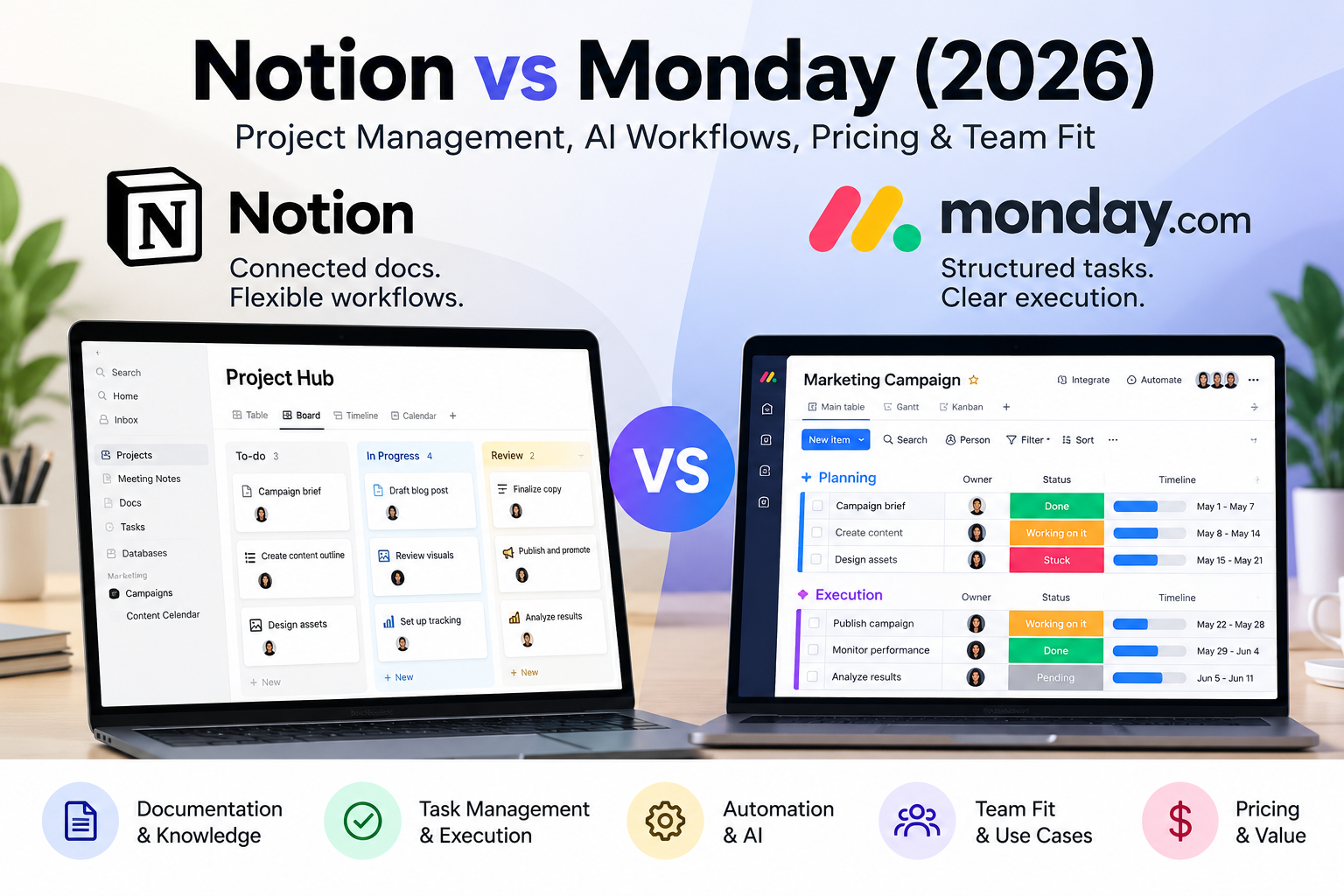
Picture a five-person marketing team on a Tuesday afternoon. The campaign brief lives in one tool, the content calendar in a spreadsheet, and the approval status in somebody’s memory. Someone asks, “Who has the next step on the landing page?” Four people look at the fifth. This is the moment that makes the Notion vs Monday decision feel less theoretical.
The short version: Notion tends to suit teams whose work revolves around connected documents and knowledge, and Monday.com tends to suit teams whose work revolves around structured task execution and repeatable workflows. Neither is incapable of the other’s job. The better choice depends on how your work actually moves, not on whose feature list is longer.
This guide compares monday.com vs Notion through real workflow requirements: how work is captured, assigned, tracked, documented, automated, and maintained, and what it all costs. Current plan details are linked to official documentation below; remaining limitations requiring direct confirmation are explicitly flagged.
Quick Verdict — Notion or Monday?
Choose Notion if your team writes a lot, refers back to what it wrote, and wants one flexible workspace where briefs, notes, and tasks are linked. Choose Monday if your team’s main pain is “who owns what, by when, and what happens next,” and you want that structure to be the default rather than something you build.
Where the choice flips: a documentation-heavy team with frequent handoffs may want Notion’s connected pages but will have to design its handoff process deliberately. An operations-minded team that also writes extensively may prefer Monday’s structure and accept that long-form knowledge lives somewhere else, or is handled less elegantly. Both outcomes are workable. The mistake is choosing on enthusiasm for a demo.
| Factor | Notion | Monday.com |
|---|---|---|
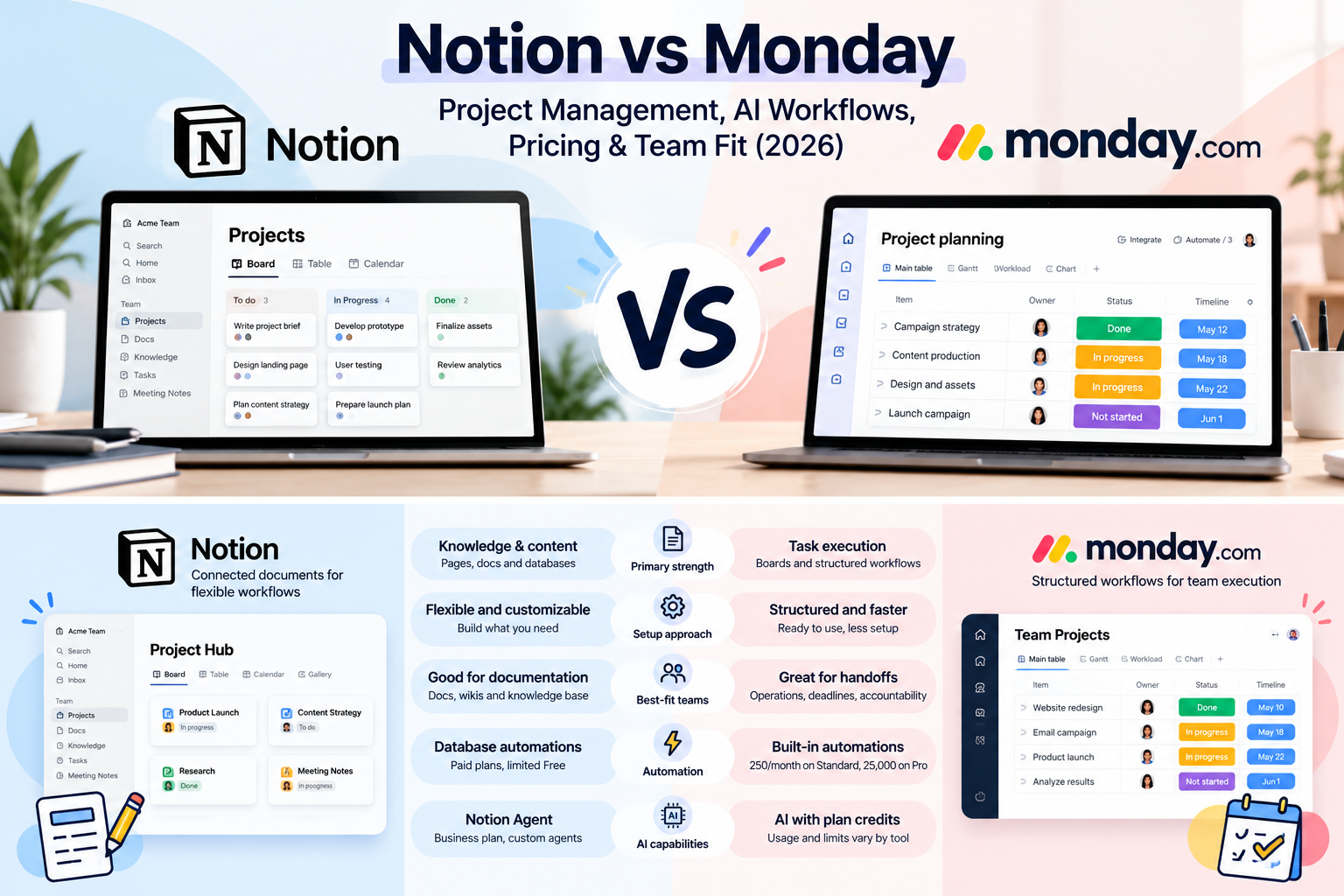
| Primary strength | Connected documents and flexible databases | Structured task and workflow execution |
| Task management | Built through databases and views | Core, board-centered experience |
| Documentation | Central to the product | Supported, less central |
| Automation | Database automations on paid plans; limited Free exceptions | Standard includes 250 automation actions/month; Pro 25,000 |
| AI | Business includes Notion Agent; Custom Agents use credits | AI capabilities use plan-linked credits; usage varies by tool |
| Setup effort | Higher if you design your own system | Lower to start, depends on workflow complexity |
| Best-fit teams | Knowledge-intensive, content, research | Operations, handoff-heavy, deadline-driven |
Notion vs Monday — The Core Differences
The overlap is real. Both let you create databases or boards, assign people to items, set statuses and dates, view the same information in different layouts, and collaborate with teammates. A buyer who assumes Notion is only a note-taking app, or that Monday is only a task board, will be surprised in both directions.
The difference is in what each treats as the starting point. Notion starts with the page. A page can hold prose, embedded databases, linked records, and tasks, so a project brief can sit next to the work it describes. Structure is something you add, and the freedom is the appeal and the hazard.
Monday starts with the board. Items, columns, statuses, owners, and timelines are the native vocabulary, and documentation sits around that structure. Work arrives pre-shaped as trackable units, which can make accountability easier to see at a glance and may keep the workspace from turning into an elaborate personal hobby.
Think of it as the difference between a well-organized binder and a well-organized dispatch desk. The binder is wonderful when the work is mostly thinking and referencing. The dispatch desk is wonderful when the work is mostly assigning and chasing.
Sources: Notion database settings · monday work management plan features.
Notion vs Monday for Project Management
If your priority is notion vs monday for project management specifically, begin with the questions that matter on a bad week rather than a good one: who owns the task, when is it due, what is blocking it, and who is next.
Task assignment and deadlines. Both platforms support owners and due dates. Monday presents these as default elements of every item, so a new board looks like a project tracker from the first minute. In Notion, owners and dates are properties you decide to include, which means a team can build exactly what it needs but can also forget to build it.
Dependencies and project status. Dependency handling and status visualization differ in depth and by plan. Notion documents native database dependencies and optional automatic date shifting. Monday lists advanced dependency columns on its Pro plan; verify whether the chosen lower tier supports the specific dependency workflow you need. Sources: Notion task dependencies; Monday plans. Whatever the feature sets, the practical question is whether your team will maintain the relationships consistently. A dependency nobody updates is decoration.
Views and cross-project coordination. Both offer multiple ways to look at work, such as tables, boards, calendars, and timelines. Notion supports database views, while Monday lists Timeline and Gantt in Standard and additional advanced board features in Pro. Portfolio-level capabilities must be confirmed against the exact product and plan before purchasing. Sources: Notion databases; Monday plans. The more projects share people and deadlines, the more it matters that visibility is built in rather than assembled.
Handoffs. Handoffs are where structure earns its keep. When responsibility moves from copywriter to designer to approver, a status change that notifies the next person is worth more than a beautifully formatted brief.
An illustrative scenario: five-person marketing team
This is a hypothetical example, not a hands-on test or a reported result.
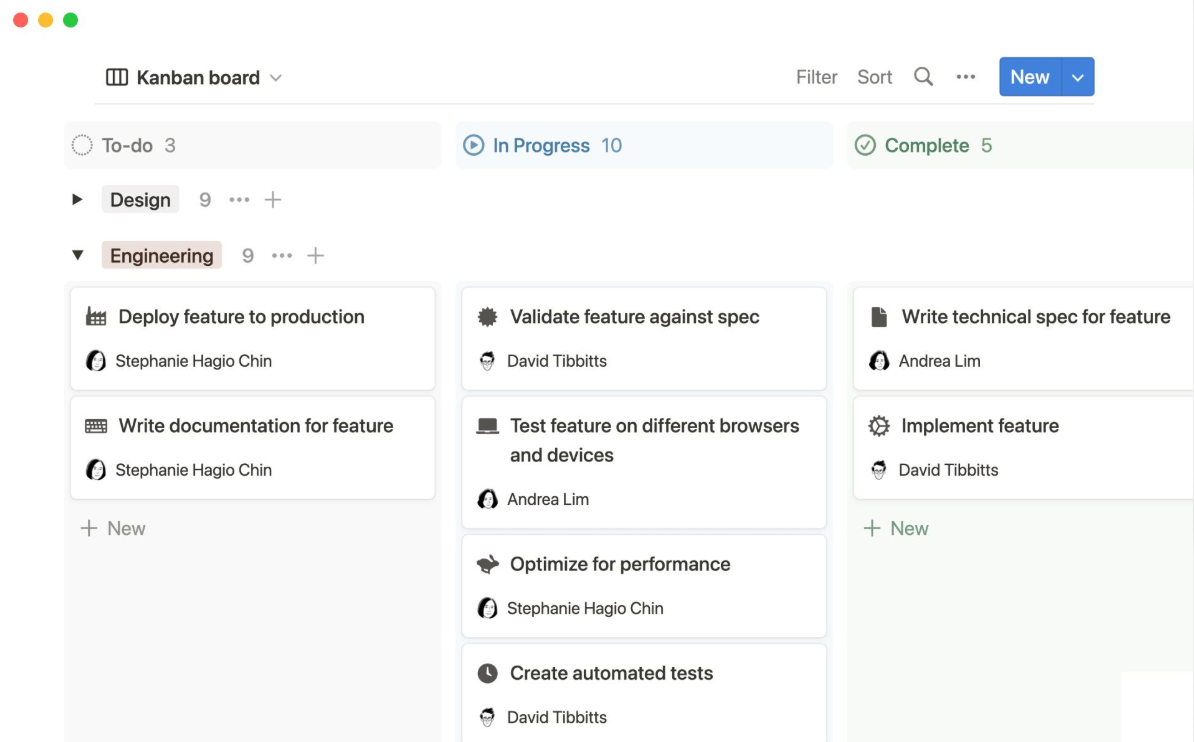
Imagine a team launching a product campaign with a writer, designer, social manager, project lead, and an approver. In a Notion-based setup, the campaign brief might be a page, with a linked content database that shows each deliverable’s owner and status inside the brief itself. Context is excellent; the cost is that someone must design and police the database.
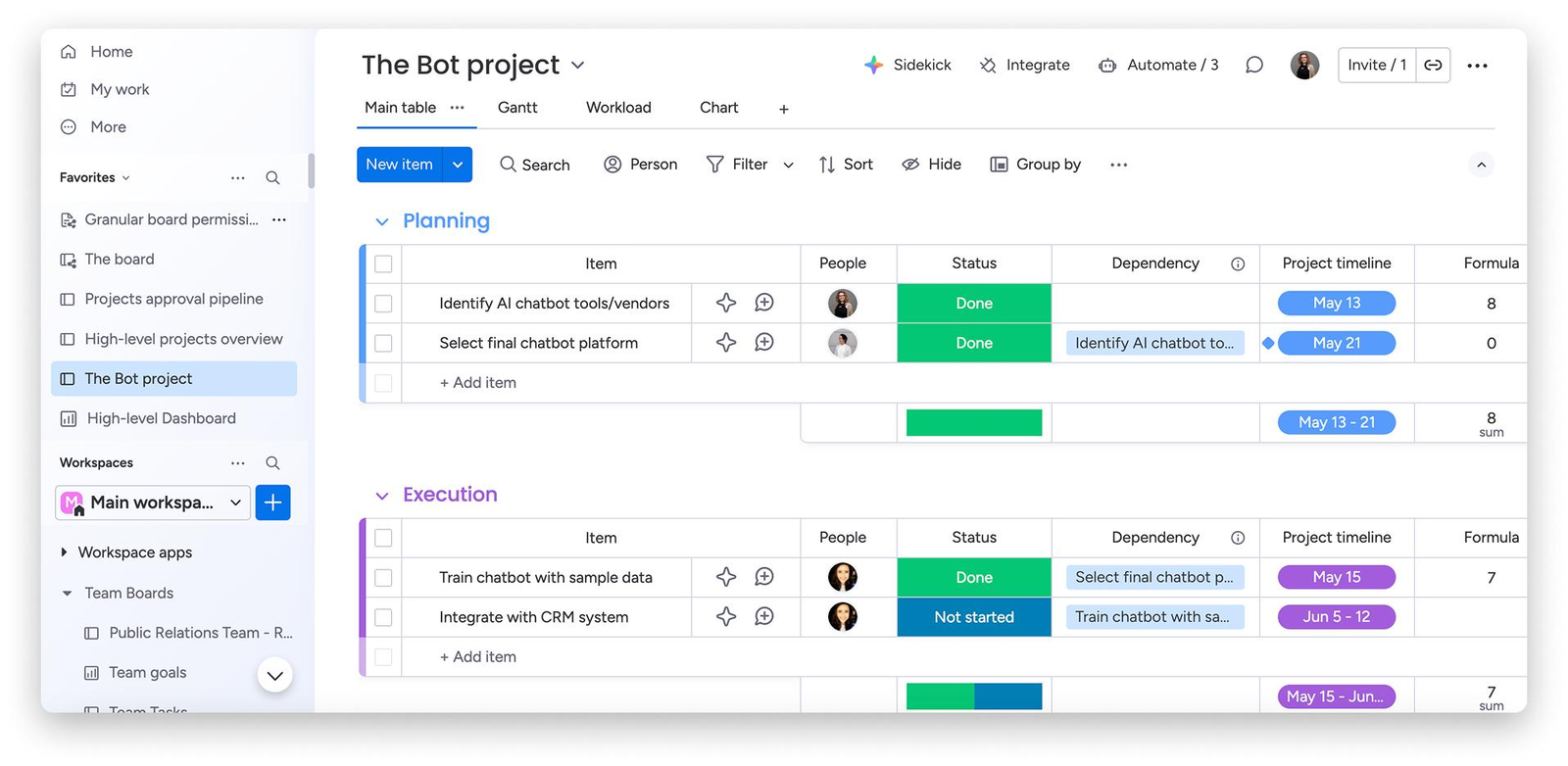
In a Monday-based setup, the team might run one board with a stage for each deliverable, and the project lead sees at a glance what is stuck. Status is excellent; the brief probably lives in a separate document or in a less central part of the workspace.
The right choice depends on whether the team’s recurring failure is lost context or lost accountability.
Best Project Management Software
Documentation & Knowledge Management
This is Notion’s home ground. Project briefs, meeting notes, process guides, and research can live as pages that link to one another and to databases. The practical benefit is retrieval: when a decision, its rationale, and its tasks sit together, a new team member can reconstruct why something happened without interviewing three people.
Consider how these capabilities might be used: a teacher could connect student records to assessments, a researcher could link projects to reading notes, and a content team could link briefs to publishing tasks. These are illustrative use cases, not verified third-party reviews or measured productivity results. The potential advantage is keeping related information navigable within one workspace.
Connected documentation stays useful only while someone prunes it. Databases accumulate stale properties, pages get duplicated, and the knowledge base can slowly become a very organized museum.
Monday can hold documents and project context as well, and teams whose knowledge needs are modest may find that sufficient. Monday includes collaborative workdocs, including up to three Docs on the Free plan. More advanced documentation and access requirements should be checked against the specific plan. Source: Monday pricing. But if your team regularly asks “where did we write that down?”, this is the dimension to weigh most heavily.
AI & Workflow Automation
It helps to keep three things apart, because vendor marketing tends to blend them.
Native AI functionality
Both platforms position AI assistance as part of the product. The questions to bring to verification are practical ones: what can it summarize, can it retrieve information across your workspace, can it create or update tasks, and what does it respect in terms of permissions. Notion lists its Agent and AI Meeting Notes under Business, while Free and Plus show trial AI access; Custom Agents use separately priced Notion credits. Monday lists agents, Sidekick, AI workflows and other AI capabilities with feature-dependent credit consumption and limits. Do not assume every capability can edit tasks or access every workspace item; verify permission and product-specific availability before enabling it. Sources: Notion pricing; Monday pricing; Monday AI credits.
Native automation
Automation means trigger-and-action rules: when a status changes, notify someone, assign a person, or move an item. This is where Monday’s structured-workflow orientation may be an advantage, and where Notion’s flexibility may require more setup, but both claims need verification against current plans. Notion database automations are broadly available on paid plans, with restricted Free-plan exceptions. Monday lists 250 automation actions per month on Standard and 25,000 on Pro; these are not the same as its AI credits. Sources: Notion automations; Monday pricing.
Third-party integrations and external agents
Connecting outside tools or external AI agents expands what is possible and also what must be governed. Any agent that can create or edit tasks needs clear permissions and, for consequential changes, an appropriate human approval step. An automation that reassigns forty tasks at midnight is a productivity story only until someone opens the board. Sources for available tools and credit behavior: Notion pricing; Monday AI credits. Agent permissions depend on the selected product and plan; confirm them in the corresponding administration settings before enabling an agent.
We are not citing benchmark results here because none are established. Evaluate AI features with your own sample content and a short trial, and check what happens when usage limits are reached.
Setup, Learning Curve & Maintenance
Setup effort is where the two products are likely to feel most different in the first week, and ongoing maintenance is where the larger cost tends to surface later.
Monday’s starting point is more prescriptive. Templates and board structures give a team a working layout quickly, and new members may learn quickly by seeing the board. Notion’s starting point is a blank canvas with templates available, which rewards a team that knows its process and penalizes one that is still figuring it out. Monday lists over 200 templates; Notion also offers templates and database customization. Neither fact establishes comparative onboarding speed. Sources: Monday pricing; Notion database settings.
Notion’s flexibility creates a particular risk: unnecessary customization. A user may start by building elaborate templates and later find that maintaining the system competes with doing the work. This is a plausible adoption risk, not a measured prevalence rate or a verified testimonial. The temptation to add one more property, one more view, one more dashboard is hard to resist, and a dashboard nobody updates is just wallpaper.
Monday can suffer a mirror-image problem: boards multiplying faster than anyone can govern them, with every team inventing its own column conventions.
For onboarding, ask who will own the workspace. A named owner who maintains templates and prunes clutter matters more than the product’s reputation.
Notion vs Monday Pricing
Pricing for this comparison should be read as a structural question first and a dollar question second, because the cheapest plan on paper is not always the cheapest in practice.
Free tiers. Notion's Free plan costs $0 per member per month; individual use differs from multi-member workspace limits. Monday's Free plan supports up to two seats, three boards, and three Docs. These are not equivalent free-team offerings.
Paid tiers. At the official US annual-billing display checked on October 27, 2026, Notion lists Plus at $10/member/month and Business at $20/member/month. Monday work management lists Basic at $9/seat/month, Standard at $12, and Pro at $19. These are price labels, not matching levels of functionality. Notion pricing · Monday pricing.
AI and automation charges. Notion's Business plan lists Notion Agent and AI Meeting Notes, and its separately billed Custom Agents list $10 per 1,000 monthly Notion credits. Monday's pricing display bundles AI credits and shows promotional offsets for certain selected seat counts; its support documentation explains that consumption differs by feature. Avoid assuming every AI action is covered by the base per-seat price. Notion pricing · Monday AI credits.
Upgrade triggers. As teams grow, automation volume, advanced dependencies, timelines, permissions, and AI use may change which plan is sufficient. For example, Monday Standard lists 250 automation actions/month while Pro lists 25,000; Notion database automations broadly require a paid plan.
Setup and migration costs. Hours spent designing databases, building boards, training people, and moving data are real costs. Without a measured workload and labor rate, their magnitude cannot be assumed.
| Comparison | Notion | Monday work management |
|---|---|---|
| Free tier | $0; multi-member limits apply | $0; up to 2 seats, 3 boards, 3 Docs |
| Annual-billing entry tier | Plus $10/member/month | Basic $9/seat/month |
| Next tier | Business $20/member/month | Standard $12/seat/month |
| Higher listed tier | Enterprise custom quote | Pro $19/seat/month; Enterprise custom quote |
| Database / workflow automation | Paid-plan database automation; Free exceptions | Standard: 250 actions/month; Pro: 25,000 |
| AI costing caveat | Business AI access; Custom Agents require credits | Credit-based AI, promotion and usage rules vary |
| Three paid users — simple multiplication | Plus: $30/month; Business: $60/month | Basic: $27; Standard: $36; Pro: $57/month 3-seat minimum applies; excludes AI/checkout adjustments |
| Ten paid users — simple multiplication | Plus: $100/month; Business: $200/month | Basic: $90; Standard: $120; Pro: $190/month 10-seat tier; excludes AI/checkout adjustments |
Pricing checked October 27, 2026, in USD for the annual-billing display. The calculations above are illustrative base seat-price arithmetic, not vendor checkout quotes. Monday states that paid plans start at three seats and subsequently use five-seat and ten-seat buckets (for example, four users purchase five seats, and six users purchase ten). The three- and ten-person scenarios align with those buckets. Verify the selected product, AI credit package, promotional adjustments, taxes, and checkout totals. Monday seat-bucket rules. Notion pricing · Monday pricing.
Which Platform Fits Your Team?
Before the scenarios, use the Team Workflow Fit Matrix. It is an editorial framework, not a scored test. Rate each dimension for your own team in plain language, then see where the weight falls.
| Dimension | Question to ask | Leans Notion when | Leans Monday when |
|---|---|---|---|
| Documentation intensity | How central are documents and knowledge to the work? | Work is mostly writing, research, and reference | Documents support the work but are not the work |
| Task handoff frequency | How often does responsibility move between people? | Handoffs are occasional and informal | Handoffs are frequent and need clear ownership |
| Workflow complexity | How many stages and approvals must be coordinated? | Few stages, flexible process | Many stages, repeatable approvals |
| Customization tolerance | How much ongoing setup can the team maintain? | A willing, capable workspace owner exists | Nobody wants to maintain a system |
| Automation requirements | Which repetitive activities need automation? | Light coordination, mostly manual or simple rules | Recurring workflows that should run themselves, within plan limits |
If your answers split, prioritize the dimension that causes the most pain today. A team with high documentation intensity but also frequent handoffs should ask whether it can afford to build handoff discipline into Notion, or whether it would rather buy that structure with Monday.
Notion vs Monday: 5-Step Team Workflow Trial Checklist
A feature list shows what software promises. A controlled trial reveals whether it works for your team.
Choose one real project and repeat these five tasks in Notion and Monday.com. Use the same team members, requirements, and evaluation criteria.
1. Connect documents to tasks. Create a project brief and link it to three actionable tasks. Check whether teammates can find the latest context without searching through unrelated pages or boards.
2. Test ownership and handoffs. Assign an owner and deadline, then move a task into review. Can the next person identify their responsibility and receive the expected notification?
3. Run a three-stage workflow. Move a deliverable through Draft Review Approved. Check whether everyone can see its status, assigned owner, and approval requirements.
4. Test onboarding and maintenance. Ask someone who did not configure the workspace to find a project, locate an assigned task, and update its status. Record where they need instructions.
5. Test one automation. Configure a useful rule, such as notifying the next owner when a task enters review. Record whether it works, which plan supports it, and whether additional usage charges apply.
Record Your Results
| Workflow Test | Notion | Monday.com | Observations |
|---|---|---|---|
| Documentation and tasks | Pass / Partial / Fail | Pass / Partial / Fail | |
| Ownership and handoffs | Pass / Partial / Fail | Pass / Partial / Fail | |
| Three-stage workflow | Pass / Partial / Fail | Pass / Partial / Fail | |
| Onboarding | Pass / Partial / Fail | Pass / Partial / Fail | |
| Automation | Pass / Partial / Fail / N/A | Pass / Partial / Fail / N/A |
How to decide: Don’t just count passes. Prioritize the tests linked to your team’s most expensive workflow problems. Record unavailable features and subscription requirements separately from actual failures.
This is a MartechChoice evaluation checklist for readers to conduct their own trials not a claim that MartechChoice independently tested either product.
Solo consultants. The main requirement is keeping client context and deliverables together. Notion is the likelier fit because one person rarely needs elaborate handoffs. That changes if you juggle many clients with recurring deadlines and want rigid tracking.
Small content teams. The requirement is connecting briefs, drafts, and publishing status. Notion is often a natural fit, shifting toward Monday if editorial approvals become multi-stage and bottlenecked.
Marketing agencies. Client work involves handoffs, deadlines, and visibility across accounts. Monday is the likelier fit, though an agency that sells strategy and documentation heavily might favor Notion.
Operations teams. The requirement is repeatable processes and approvals. Monday is the likelier fit; the recommendation can change if the process is mostly knowledge retrieval rather than task flow.
Knowledge-intensive teams. Research, training, and internal knowledge bases point toward Notion, unless the team also needs strict task accountability, in which case it may need to define task conventions carefully or pair tools.
Marketing Project Management Software
Switching Between Notion and Monday
Moving between the platforms may involve rebuilding workflows rather than simply moving files. Notion documents Markdown and CSV exports; monday.com documents exporting board tables to Excel, with limitations on views and some nested updates. Those export formats do not establish a complete, lossless migration path between the products. Sources: Notion export guidance; monday.com board export guidance.
Expect to rebuild databases and boards by hand where structures do not map cleanly. Decide in advance how task ownership will carry over so that nothing is silently unassigned. Automations generally need to be recreated, not transferred, and linked-document relationships in Notion have no obvious equivalent on a board.
Do not assume a complete or lossless migration. Run a pilot with one active project, then verify counts, owners, due dates, and attachments before retiring the old workspace.
Frequently Asked Questions
Can Notion replace Monday for project management? For many small teams, potentially yes: Notion supports tasks, sub-items and dependencies, but the team still needs to define and maintain its workflow. Teams that need built-in structure and automation may find the setup burden higher than expected.
Is Monday better for small teams? Small teams with frequent handoffs and a need for fast, structured tracking can do well with Monday. Small teams centered on documents and knowledge may be better served by Notion. Monday Free supports up to two seats; paid plans start with a three-seat bucket. Monday pricing · seat buckets.
Does Notion support task dependencies? Yes. Notion documents database task dependencies and optional automatic date shifting. Check the current plan and workspace configuration for the intended use. Notion task dependencies.
Can you use Notion and Monday together? Yes. A team can use Notion for documentation and Monday for execution, although using two workspaces introduces maintenance and duplicated-information risks. This does not imply a verified native two-way synchronization; confirm any proposed integration before relying on it.
Which platform is easier to maintain? Monday’s pre-shaped structure may ask less of a workspace owner, though no comparative maintenance evidence is cited here. Notion can be maintained well with disciplined conventions, but it offers more rope.
Conclusion: Let Your Bottleneck Pick the Tool
Skip the feature-count contest and name your team’s most persistent bottleneck. If work stalls because nobody can find the context, the reasoning, or the brief, lean toward Notion and commit to maintaining it. If work stalls because nobody knows who owns the next step, lean toward Monday and let its structure do the nagging.
In the notion vs monday decision, the deciding factors are documentation intensity, handoff frequency, and how much setup your team will actually sustain. Verify pricing against your real headcount, trial the AI and automation features with your own content, and run a short pilot before committing the whole team.