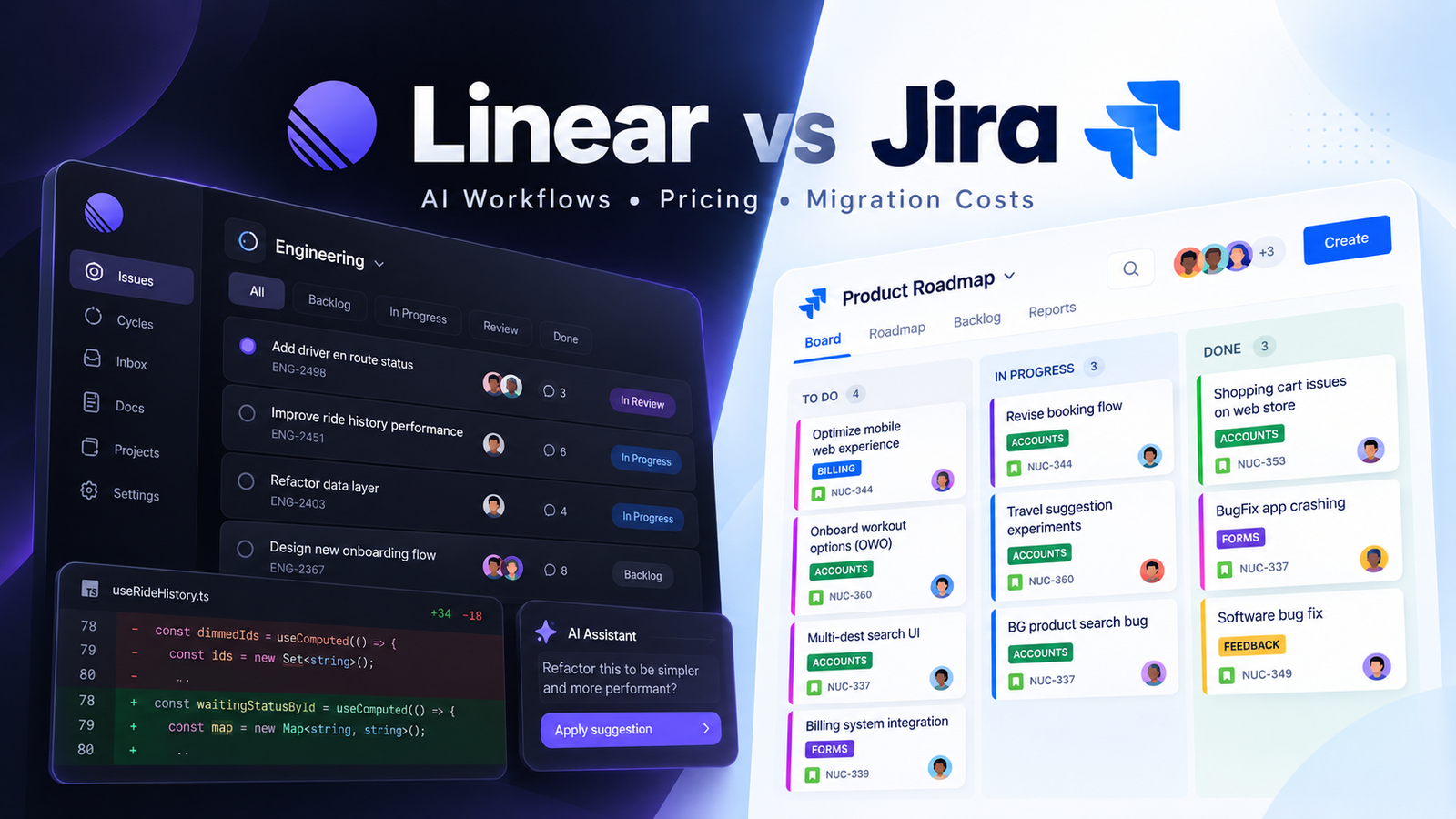
Linear vs Jira: The Short Answer
If you’re weighing Linear vs Jira, the better choice is the one whose assumptions match how your team works. Linear is built around a structured product-development system: issues, cycles, projects, initiatives, and an increasingly integrated path from issue to code. Jira gives teams more ways to configure how work is recorded, approved, reported, and governed. Those extra controls are valuable when they reflect a real requirement, and exhausting when they merely preserve an old habit.
For a developer-led team that wants simpler routine issue management, Linear is an attractive starting point. For organizations that depend on configurable workflows, complex approvals, or portfolio governance, Jira can be the better fit. Neither product wins every category, and switching has a cost of its own.
| Decision point | Linear | Jira |
|---|---|---|
| Default approach | Structured, opinionated product workflow | Broadly configurable work-management system |
| Planning | Issues, cycles, projects, initiatives | Scrum/Kanban boards, backlogs, and cross-team plans by plan |
| AI workflow | Native agent, coding sessions, third-party agents | Rovo search, chat, agents, and developer-oriented AI |
| Reporting | Cycle/project views; Insights on Business+ | Agile reporting; advanced cross-team features on higher tiers |
| Governance | Roles and controls vary by plan | Established permissions, workflow approvals, enterprise controls |
| Moving from Jira | Import or limited parallel sync; some configuration rebuilt | No migration, but administration overhead may remain |
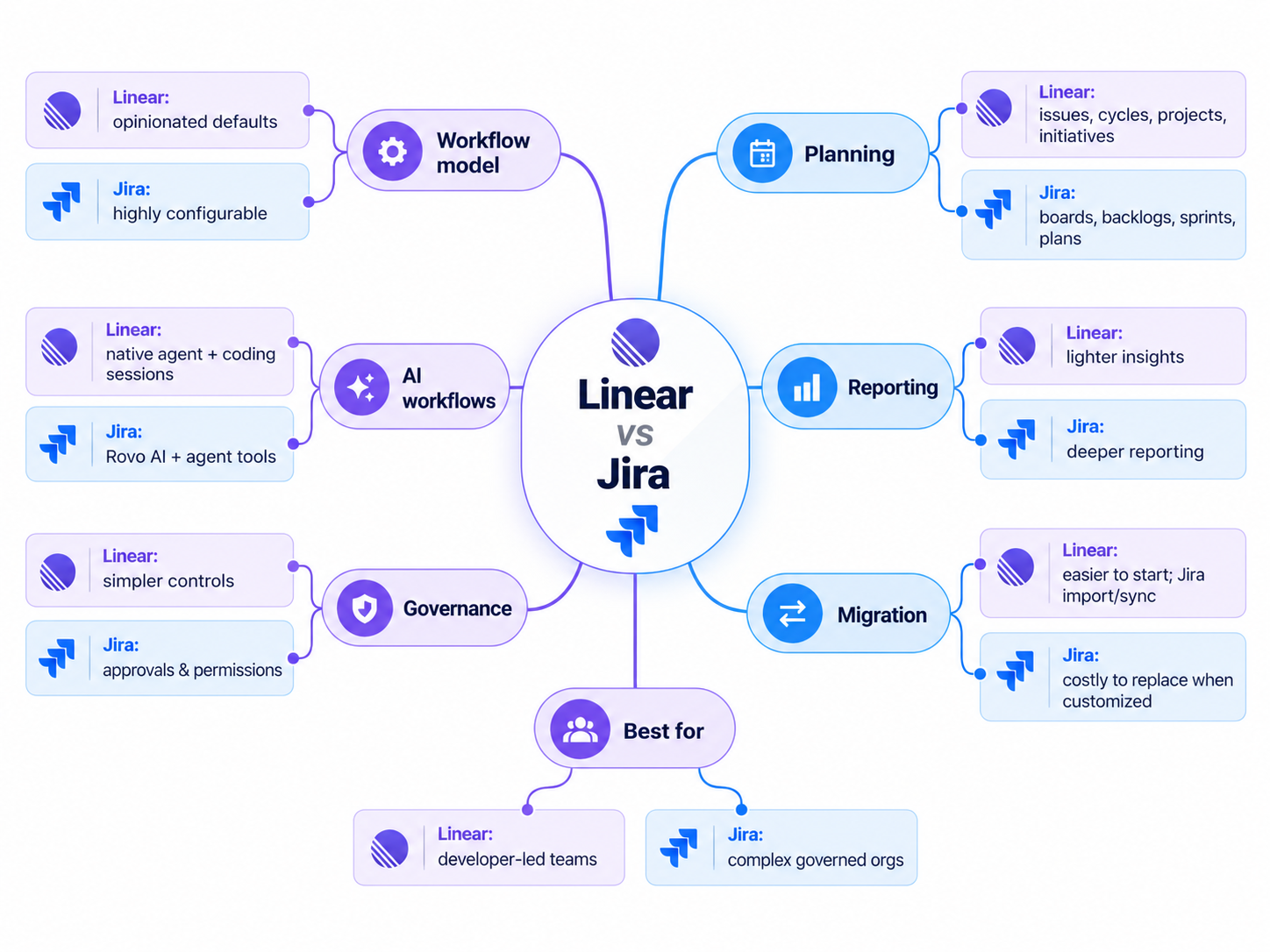
These are capability distinctions, not independently measured speed or productivity results. If you’re already committed to Jira, read the migration section before accepting any advice to switch.
How Linear and Jira Approach Product Development
Workflow philosophy matters more than interface polish, and it’s the part many comparisons skip.
Linear organizes work through a defined hierarchy. Issues capture tasks and bugs, cycles are repeating periods for near-term work, projects connect related deliverables, and initiatives group projects around larger goals. According to Linear’s cycles documentation, cycles can run from one to eight weeks and repeat automatically. A cycle is a working rhythm, not a promise that software ships on its final day. The defaults reduce the number of workflow decisions a new team has to make.
Jira takes the more configurable route. Teams can work with Scrum or Kanban boards, backlogs, workflows, automation, and reporting, then layer on access rules or more elaborate planning. Atlassian’s plan comparison documents how some of those capabilities vary by subscription. A team with unusual approvals or complex dependencies can model them instead of bending its process to fit the tool.
The consequence is power, along with the risk of building a process so elaborate that a five-minute task needs three approvals and fourteen custom fields. Jira didn’t demand this. Someone, somewhere, simply could.
If your real workflow is “plan, build, review, ship,” Linear’s conventions may simplify operations. If your workflow must prove exactly which gates a release passed, Jira’s flexibility could be the point rather than the problem.
Linear vs Jira Features: What Actually Changes Day to Day?
A checklist tells you what exists. The useful comparison is what changes on a Tuesday afternoon.
Issues and intake. Linear organizes incoming work through issues, team backlogs, and triage. Its Linear Agent can create and update work, summarize context, and answer questions about workspace material. Jira supports configurable work items and screens, plus intake through its own ecosystem. Linear’s tighter conventions may make basic triage more predictable. Jira’s extra structure pays off when a field has an actual downstream purpose.

Cycles versus sprints. Linear cycles run on a repeating schedule and can be planned around the team’s near-term work. Jira supports Scrum and Kanban boards, backlogs, and Agile reporting, giving teams more options for mirroring established sprint ceremonies. Before comparing them, ask whether your team needs a release process, a planning cadence, or both. Those are related but different requirements. Linear cycles and Jira plan features spell out the respective models.
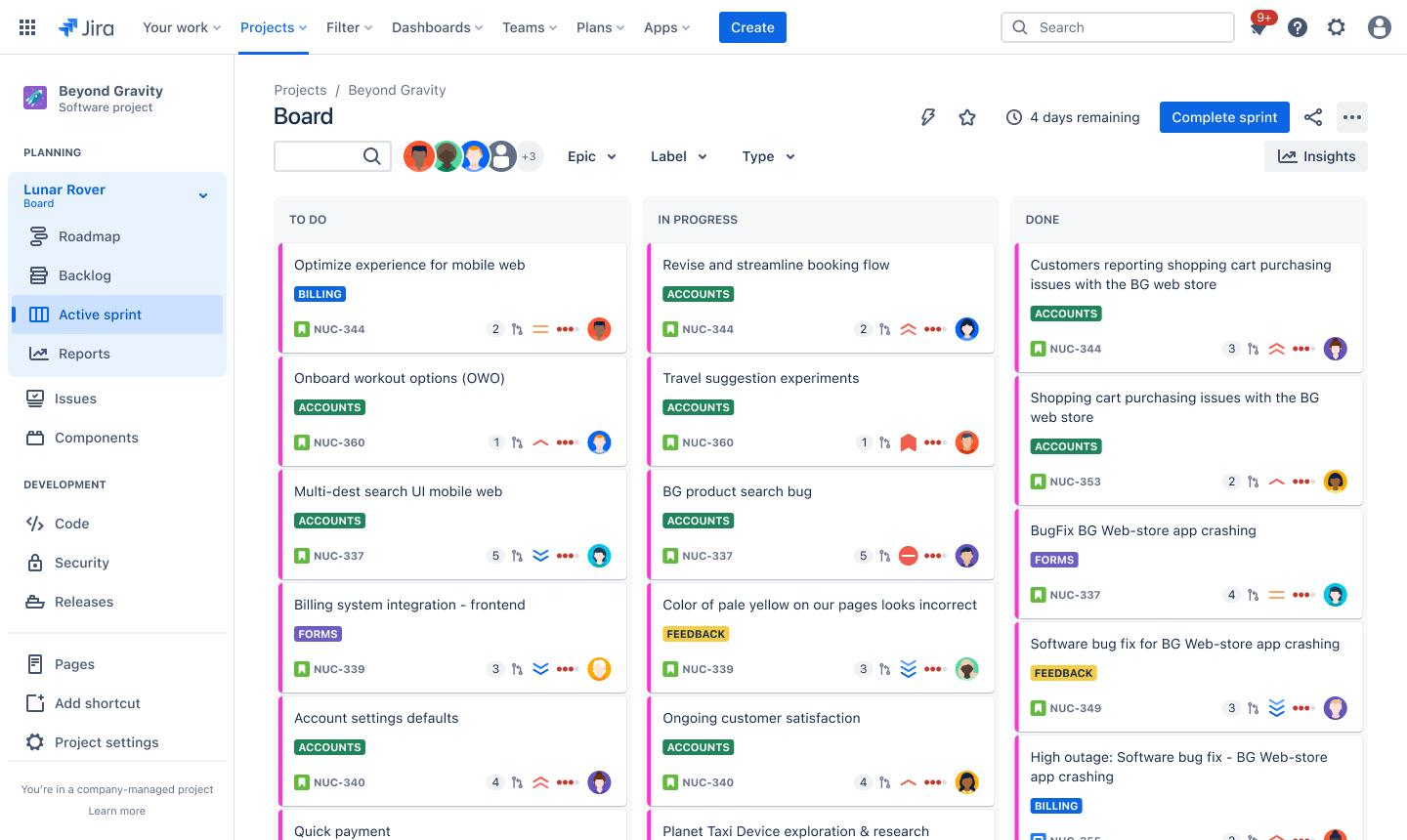
Projects and roadmaps. Linear projects group delivery work, while initiatives combine multiple projects to show strategic progress; its initiative documentation covers cross-team visibility and progress tracking. Jira offers basic planning on its lower tiers and more advanced cross-team planning in Premium. It would be misleading to claim that Linear has no portfolio view, or that every Jira customer automatically gets the most sophisticated one.
Workflow customization. This is the sharp divide. Jira has configurable workflows, fields, and permissions. Linear favors established concepts and uses labels and other native structures rather than matching every Jira field model. Some teams discover that their custom workflow is a fossil from a reorganization three years ago. Others discover that the supposedly pointless field is what keeps an audit trail intelligible.
Developer integrations. Linear’s official ecosystem includes GitHub-oriented coding sessions and external agents such as Codex, while Atlassian connects Jira to development tools and a wider product suite. The test is not whether a logo appears in an integration gallery, but whether the repository events, status updates, approvals, and service workflows your team actually uses are covered. For Linear, see supported agents. For Jira, check the integrations relevant to your own installation before migrating.
Reporting and administration. Linear is not report-free: its Insights provides issue analytics on Business and Enterprise. Jira includes Agile reporting, with higher-tier features for advanced planning and administrative needs. Which surface is better depends on who is asking: a developer hunting for a blocked issue, or leadership coordinating several departments.
Choose based on the capabilities you would genuinely miss, not the ones you might theoretically activate someday.
AI Workflows and Coding Agents
AI collaboration has become a legitimate selection criterion. It is also where product marketing moves faster than most teams can update their procurement spreadsheets.
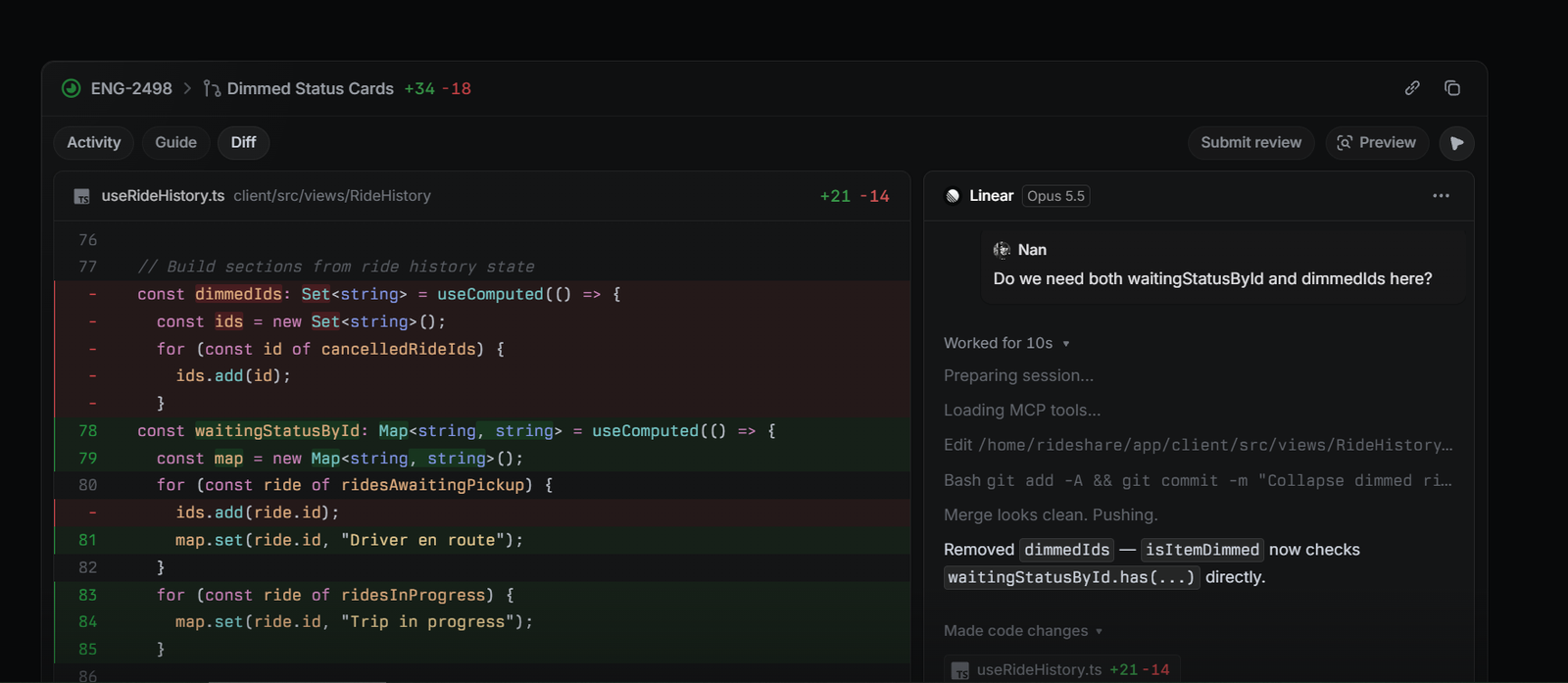
What Linear can do. Linear’s native agent can search workspace context, create and update issues and projects, summarize work, and respond in chat or comments. The agent platform also lets teams install third-party agents and assign them issues or mention them in discussions. More significantly, coding sessions can delegate a well-scoped issue to Linear Agent, which works with Claude Code or Codex in a cloud environment and returns a draft pull request for human review. Reviewers can inspect diffs and give feedback. These sessions require a paid Linear plan, repository access, and separately funded AI credits; they are not an unlimited perk of a free seat.
What Jira can do. Jira should not be treated as an AI-free legacy tracker. Atlassian’s Jira AI overview describes Rovo capabilities for finding work, creating and breaking down work items, surfacing context, and using AI agents, and Atlassian also promotes developer-oriented AI through Rovo Dev. Access and usage conditions depend on plan, organizational configuration, and the particular feature. The fair comparison is workflow integration, governance, and practical fit, not the existence of an AI button.
The questions that matter are concrete. Does the agent see enough of an issue’s history to act sensibly? Can an engineer inspect the proposed change? Can the agent be stopped, redirected, or asked for revisions? Are repository permissions, pull-request checks, and spend limits still enforced? Linear’s documentation says existing GitHub permissions and review requirements continue to govern what ships.
For a team actively delegating bounded coding tasks, Linear’s issue-to-diff experience could meaningfully reduce coordination work. For a team whose main problem is enterprise search, work summaries, or cross-product governance, Jira’s Rovo ecosystem may be more relevant. And if nobody is running coding agents today, neither vendor’s demo justifies a disruptive migration.
An agent without a clear human reviewer is not a productivity strategy. It is a very efficient way to create someone else’s incident report.
Developer Experience and Team Collaboration
Developer experience is daily friction: how quickly a bug can be recorded, how easily an engineer finds what’s next, and whether updating a ticket feels like administrative labor.
Linear leans on keyboard shortcuts, compact issue views, a shared project hierarchy, and conventions that reduce setup decisions. Jira’s experience depends more on configuration. A well-maintained instance can be perfectly straightforward, while a sprawl of custom screens and workflows can demand specialized administration. These are qualitative workflow differences, not evidence that one product loads a page a fixed number of milliseconds faster.
Cross-functional collaboration complicates the picture. Linear supports projects that span teams, initiatives, guest access on eligible plans, and third-party workflows. Jira offers configurable permissions and, on higher tiers, more structured cross-team planning and approval features. A software company with strong product-engineering alignment may be entirely comfortable in Linear. An organization that combines engineering, support, finance, and tightly controlled change management may value Jira’s configurability.
User frustration deserves a hearing, but it isn’t a controlled experiment. The supplied third-party material highlights complaints about Jira’s complexity and praise for Linear’s focus. That shows recurring perceptions, not measured proof that every team will be more productive after switching. A frustrated Jira user may be describing an unmanaged internal process rather than a defective product, and praise for Linear often comes from teams whose requirements already fit its model.
Ask the people doing the work where friction actually occurs, then check whether a configuration change could fix it without a migration.
Linear vs Jira Pricing and Total Cost
Subscription prices are visible. The cost of rebuilding a working process rarely is.
As checked against official published pricing in October 2026, Linear offers Free at $0 with unlimited members, two teams, and 250 issues. Basic is listed at $10 per user/month when billed annually, with five teams and unlimited issues. Business is $16 per user/month when billed annually, adding unlimited teams, Insights, and other capabilities. Enterprise is custom-priced. Annual equivalents should not be mistaken for month-to-month rates.
Jira Cloud offers a Free plan for up to ten users, then Standard, Premium, and Enterprise. Its published pricing page displays Standard at $7.91 and Premium at $14.54 per user/month under the page’s default pricing context. Jira pricing varies by user count and billing cycle, and rates have changed over time, so treat those figures as a snapshot rather than a quote for a particular 20-, 100-, or 500-person company. Use Atlassian’s live calculator before purchase. Premium includes advanced cross-team planning and approval features, while Enterprise is sales-led.
| Cost category | What to verify before choosing |
|---|---|
| Paid seats | Headcount, guest policies, billing frequency, volume tiers |
| AI | Linear coding sessions use AI credits; check Jira/Rovo entitlement separately |
| Add-ons | Whether required apps, reports, and integrations are included or billed separately |
| Administration | Time spent configuring fields, permissions, automations, dashboards |
| Migration | Field mapping, training, historical data, time running two systems |
For a simple software team, subscription cost and light onboarding may dominate. For a regulated organization with years of configured Jira workflows, the labor of rebuilding controls could dwarf any seat-price difference. Conversely, a cheaper subscription is no bargain if it pushes engineers into workarounds.
Don’t declare a price winner without specifying team size, plan, deployment context, and the processes the organization would actually have to maintain.
Migrating from Jira to Linear: What Can Go Wrong?
Migration is where tidy comparison tables meet your actual backlog. Linear documents both a one-time import and an ongoing Jira integration, but they are not equivalent.
Import versus sync. According to Linear’s Jira import and sync guide, Jira Import is intended for a one-time transfer of projects, issues, and supported metadata, and it covers a broader set of issue relationships than ongoing synchronization. Jira Sync can connect the two systems in one or both directions when teams must temporarily operate in parallel. Linear warns that not every property syncs perfectly and that drift can occur, and its guidance favors a clean cutover where practical over permanent dual-system operation.
Identity and permissions. Imported users are matched by email when the relevant Linear account is available, but Jira roles and permissions do not transfer. Access rules must be established separately in Linear. That matters most for teams with private or sensitive work: moving tickets is not the same as moving authorization policy.
Custom fields and workflows. Linear recommends using labels and label groups to represent Jira custom metadata, which is not automatically reproduced as a matching custom-field system. Review which fields are business-critical, build appropriate destination structures, and confirm that statuses can be mapped. Boards also need rebuilding as views. Don’t promise a pixel-perfect replica of an old Jira setup; it may be neither feasible nor desirable.
History, relationships, and attachments. The official feature map includes supported comments and attachments, but support depends on whether data is imported or synchronized. Parent-child relationships and other link types are not equally supported across both methods. Sample and verify critical historical or compliance records, and keep Jira as an archive where necessary. A successful import status is no substitute for record-by-record validation of your most important work.
A sensible pilot. Start with one representative team and a real project, not three demonstration tickets. Check identity mapping, custom fields, cycle setup, dependencies, comments, links, integration triggers, and reporting. Have an owner validate key records in both systems before calling the cutover complete. Decide in advance which information stays archived, which gets rebuilt, and who resolves conflicts during a temporary sync.
Linear may feel easier to operate once the move is done, but that doesn’t make the move a weekend project. And if your well-configured Jira instance already meets everyone’s needs, staying put could be the least expensive improvement available.
Which Should Your Team Choose?
Employee count is a poor standalone deciding factor. Workflow assumptions, governance needs, and switching costs are better measures.
Developer-led product team with simple processes. Shortlist Linear. Its cycles, issues, and project conventions help when a team wants to spend less effort inventing its tracking system. If Jira is already configured cleanly, run a trial before assuming the difference justifies moving.
Growing organization coordinating multiple teams. Evaluate both. Linear has cross-team initiatives and Business-tier Insights, while Jira offers more configurable administration and advanced planning on eligible plans. Test your real approval flows, reporting needs, and guest-access requirements instead of equating “growing” with “must use Jira.”
Organization with formal governance. Give Jira serious weight if approvals, custom permissions, auditability, and traceable processes are non-negotiable. Linear has Enterprise controls, but support for your exact process must be verified, not assumed from the presence of an Enterprise plan.
Team adopting coding agents. Evaluate Linear’s native issue-to-coding-session workflow against the specific Atlassian/Rovo tools you can access. Require an explicit human review step, predictable budgets, and repository permission checks.
Heavily customized Jira installation. Calculate the migration work first. Retiring unused fields inside Jira may deliver much of the intended benefit without replacing the platform.
Frequently Asked Questions
Is Linear better than Jira for developers?
Linear may suit developers who want opinionated issue management, cycles, and a direct path from tracked work to coding agents. Jira can be just as appropriate when its configuration supports the team’s actual delivery process. No published feature checklist establishes a universal developer-productivity winner.
Can Linear replace Jira completely?
For some teams, yes. For others, replacement means rebuilding custom fields, permissions, reports, and integrations. Linear supports importing Jira work and optional synchronization, but the two systems have different models. Validate the data and processes you require before cutting over.
Is Jira still worth using in 2026?
Yes. Jira Cloud remains an actively offered product with Scrum/Kanban, configurable workflows, and Atlassian AI offerings. Atlassian has announced the phase-out of most Jira Data Center products by March 28, 2029, which makes deployment strategy relevant to long-term planning, though it is not evidence that Jira Cloud is disappearing. See Atlassian’s Jira pricing.
Final Verdict
Neither tool wins universally. Choose Linear if your team wants opinionated defaults, minimal administration, and a workflow that matches its assumptions. Choose Jira if you need deep customization, governance, and reporting, or if your existing setup works and a migration would cost more than it returns.
Before switching, pilot with one team, map every custom field you actually use, and price the whole transition, not just the subscription. The best tracker is the one your team will still be using after the novelty fades.